


DigiNode Tools v0.8.10: Dual Node setup, ready for DigiByte Core v8, a new port tester and more
DigiNode Tools can now set up a Dual Node: a DigiByte mainnet node and a testnet node running side by side on the same device, even a Raspberry Pi 4 8GB. Large parts of DigiNode Tools have been rewritten to get ready for DigiByte Core v8, and the Status Monitor’s port test uses a new DigiByte port tester.
New to DigiNode Tools? See what it does →
Dual Node New
DigiNode Tools can now set up a Dual Node: a DigiByte mainnet node and a testnet node running at the same time on the same device. The testnet is used by developers building on DigiByte, so running a testnet node alongside your mainnet node is a great way to support them, and anyone can now do it with a low-power device like a Raspberry Pi. It’s all menu-driven, and you can switch between mainnet, testnet and a Dual Node from the DigiNode Setup menu.
Implementing Dual Node support has been more work than I expected, but I’m really proud of this feature.
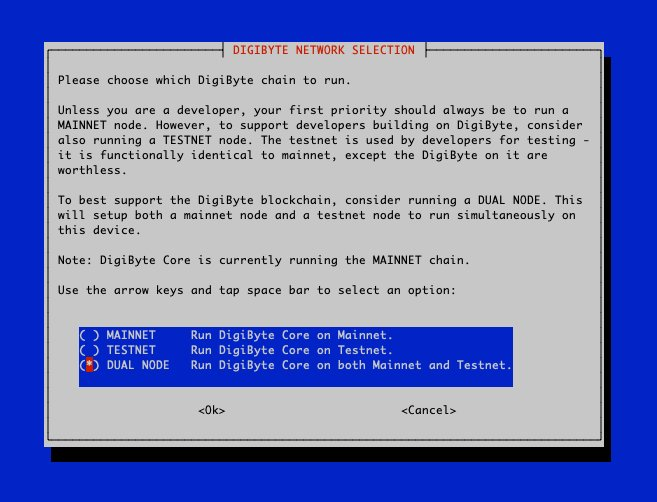
Important: a testnet node or Dual Node needs DigiByte Core v8.22.0-rc3 or later, which isn’t out yet at the time of writing. A bug in earlier versions makes the testnet take many hours to start, sometimes more than a day, and on a Raspberry Pi it won’t start at all. The Status Monitor doesn’t show the testnet node of a Dual Node yet. That’s coming in a future release.
Ready for DigiByte Core v8 New
This was a huge piece of work, two weeks of rewriting large sections of code, all to get ready for DigiByte Core v8:
- digibyte.conf now has the
[main],[test],[regtest]and[signet]sections that DigiByte Core v8 needs. DigiNode Setup adds any missing sections and settings to your existing digibyte.conf automatically, and if it can’t, it explains how to do it yourself, or lets you replace it with a new one made from the template. - The Status Monitor reads the listening port, maximum connections and RPC credentials from the right section of digibyte.conf for the chain you’re running. It recognises regtest and signet nodes, and if digibyted has failed when it starts, it shows the error.
A new port tester New
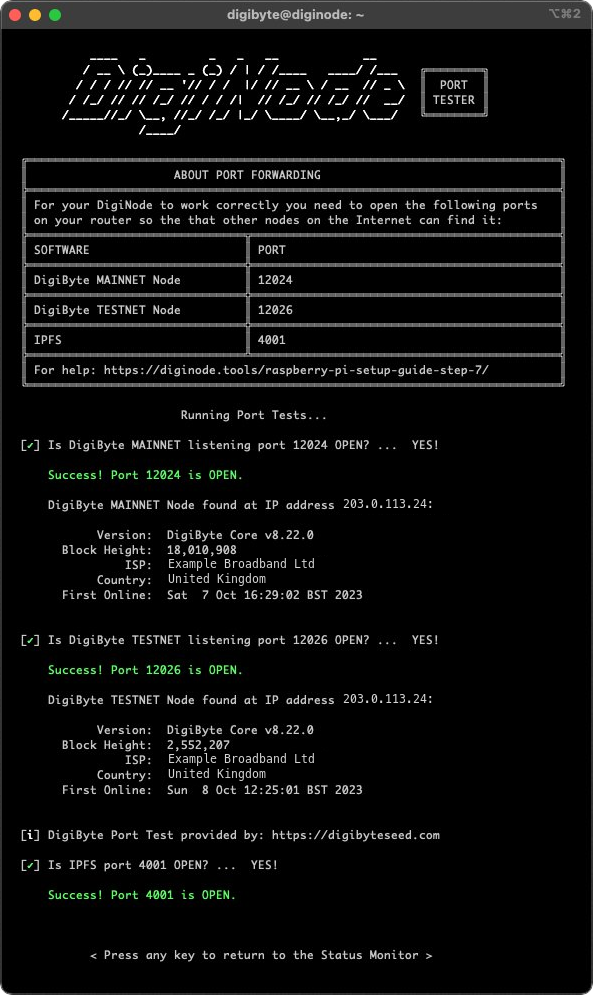
The Status Monitor’s port test now uses a new DigiByte port tester, developed by @jongjan88. DigiNode Tools had a port tester before, but it had been offline for a while, so it was time for an alternative.
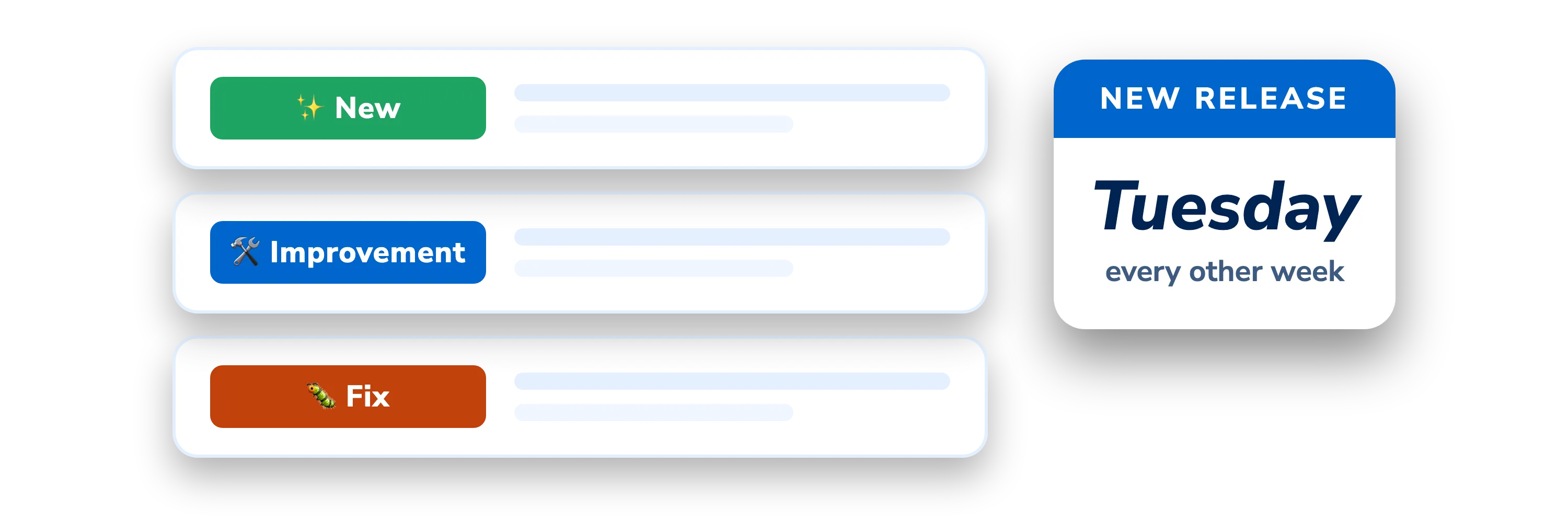
Other improvements and fixes
- New Listening port and UPnP status - The Status Monitor shows your node’s listening port and UPnP status, until it knows the port is being forwarded correctly.
- New Status Monitor options -
diginode --helplists the Status Monitor’s optional flags. Using a flag it doesn’t recognise now shows an error. - New Uninstall Node.js - The uninstaller can now remove Node.js, once the DigiAsset Node has been removed.
- Improvement Updates every 10 seconds - The Status Monitor’s 15-second timer now runs every 10 seconds, and the wallet balance is formatted better.
- Improvement Getting ready for the Dual Node Status Monitor - Lots of work behind the scenes so the Status Monitor can show both nodes of a Dual Node.
- Fix Node.js - Node.js now installs from the new NodeSource repositories, and DigiNode Tools is back on Node.js 16, because the DigiAsset Node’s web UI has problems with Node.js 18 and 20.
- Fix IPFS on a Raspberry Pi - IPFS briefly used its low-power profile on a Raspberry Pi, but this caused performance problems, so it has been rolled back. The IPFS test now downloads a file that still exists.
- Fix Switching chains and UPnP - Switching chains and turning UPnP on or off from the DigiNode Setup menu work again, after bugs in v0.8.7.
- Fix Raspberry Pi checks - The memory of an unknown Raspberry Pi model is recognised better, the Raspberry Pi checks run whenever they should, and a column in the Status Monitor lines up when the swap size has two digits.
This post covers DigiNode Tools v0.8.7, v0.8.8, v0.8.9 and v0.8.10. Each release’s own notes are on GitHub.
If you run into any issues with this release, please let me know in the DigiNode Tools Telegram group or on GitHub.

Comments
Read new posts in apps such as Leaflet or Standard Reader.
RSS feedView on BlueskyView on Standard ReaderTo comment here as {{handle}}, this site needs one more permission from your Atmosphere account.
Your account's own site (Bluesky's, for most people) will ask you to approve it, and may ask you to sign in there first. Then you'll come straight back here.
Powered by Atmosphere Comments for Astro