


DigiNode Tools v26.10.05: Automatic system updates, Automatic restarts when needed, Restart reminders and more
This release keeps your DigiNode up to date without you having to think about it. DigiNode Setup can now install operating system updates automatically, and restart your DigiNode when an update needs it, safely and only when it isn’t busy. There are plenty of smaller improvements and fixes too.
New to DigiNode Tools? See what it does →
Automatic system updates New
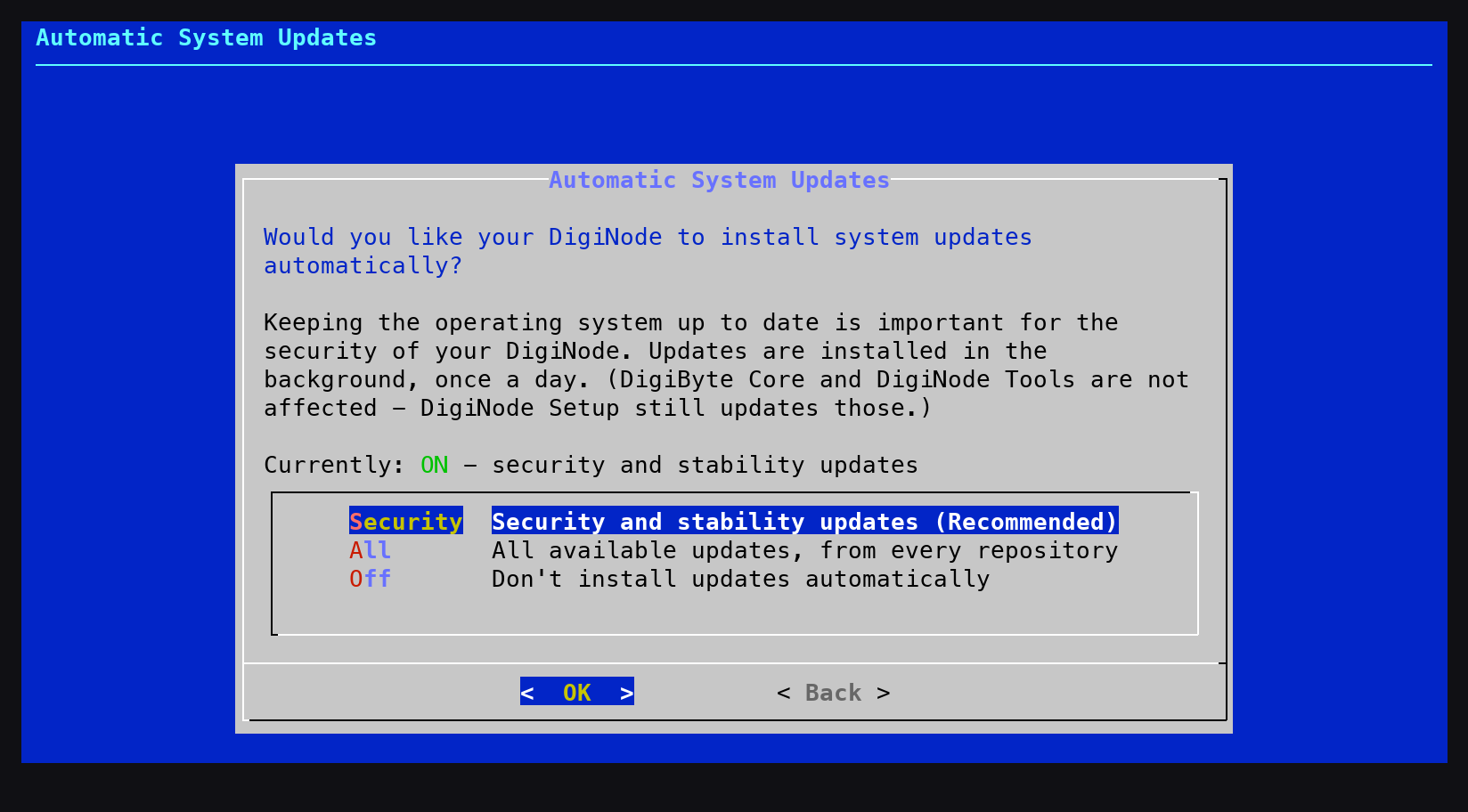
DigiNode Setup can now install operating system updates for you automatically, once a day in the background (Debian, Ubuntu and Raspberry Pi OS). You are asked once: security and stability updates (recommended), all updates, or off. You can change this at any time from the new System option in the DigiNode Setup main menu. For an unattended install, set UI_SYSTEM_AUTO_UPDATES and UI_SYSTEM_AUTO_REBOOT in diginode.settings.
Automatic restarts when needed New
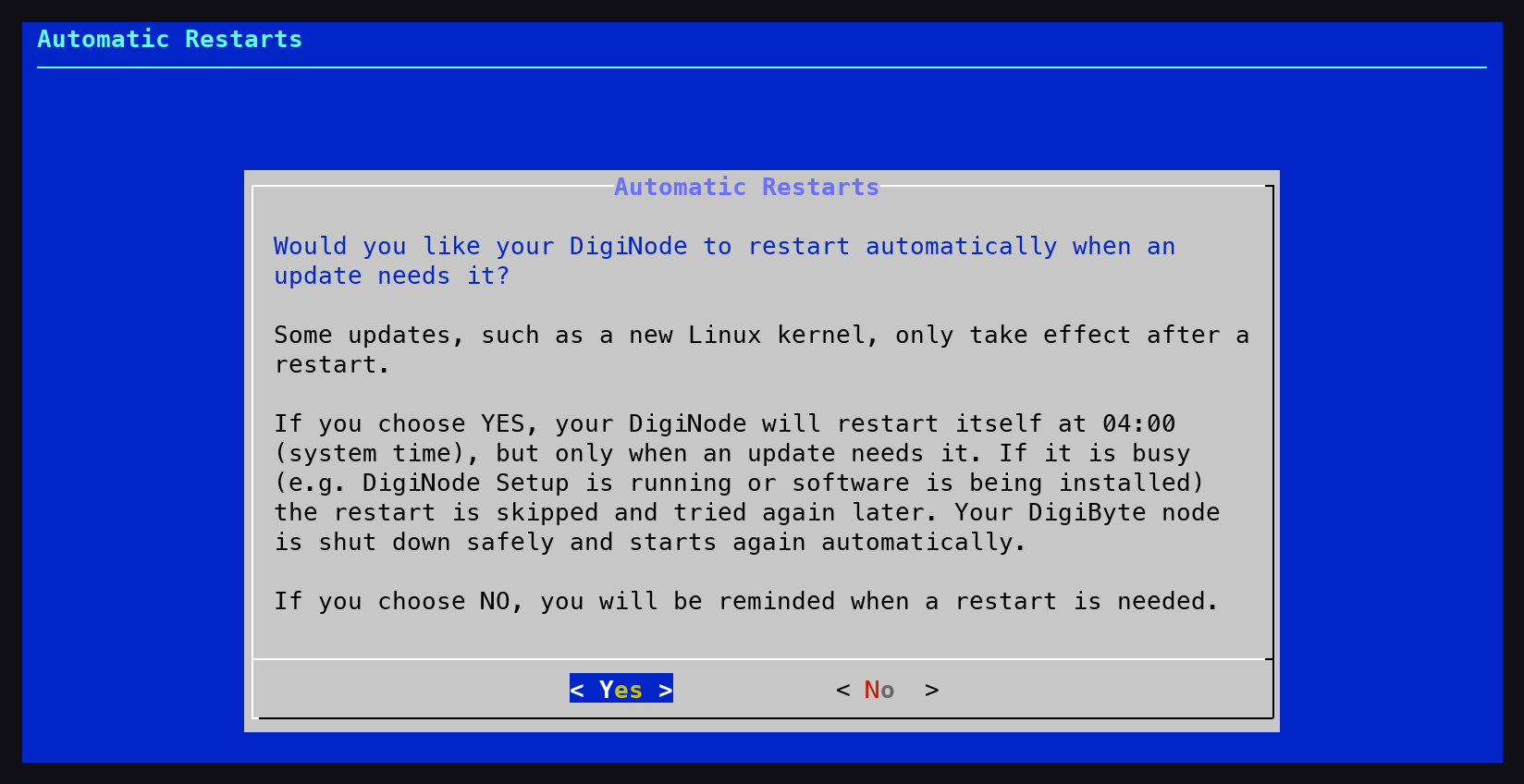
Your DigiNode can now restart itself automatically when an update needs a restart to finish, such as a new Linux kernel. It only restarts when needed, at 04:00 (you can change the time from the System menu), and never while it is busy - for example while DigiNode Setup is running or software is being installed. If it is busy, it tries again every 30 minutes for the next two hours, and otherwise the next night. Your DigiByte node is shut down safely and starts again automatically. You are asked whether you want this when you install - on a Raspberry Pi the suggested answer is Yes, and on other machines (such as a VPS) it is No.
Restart reminders New
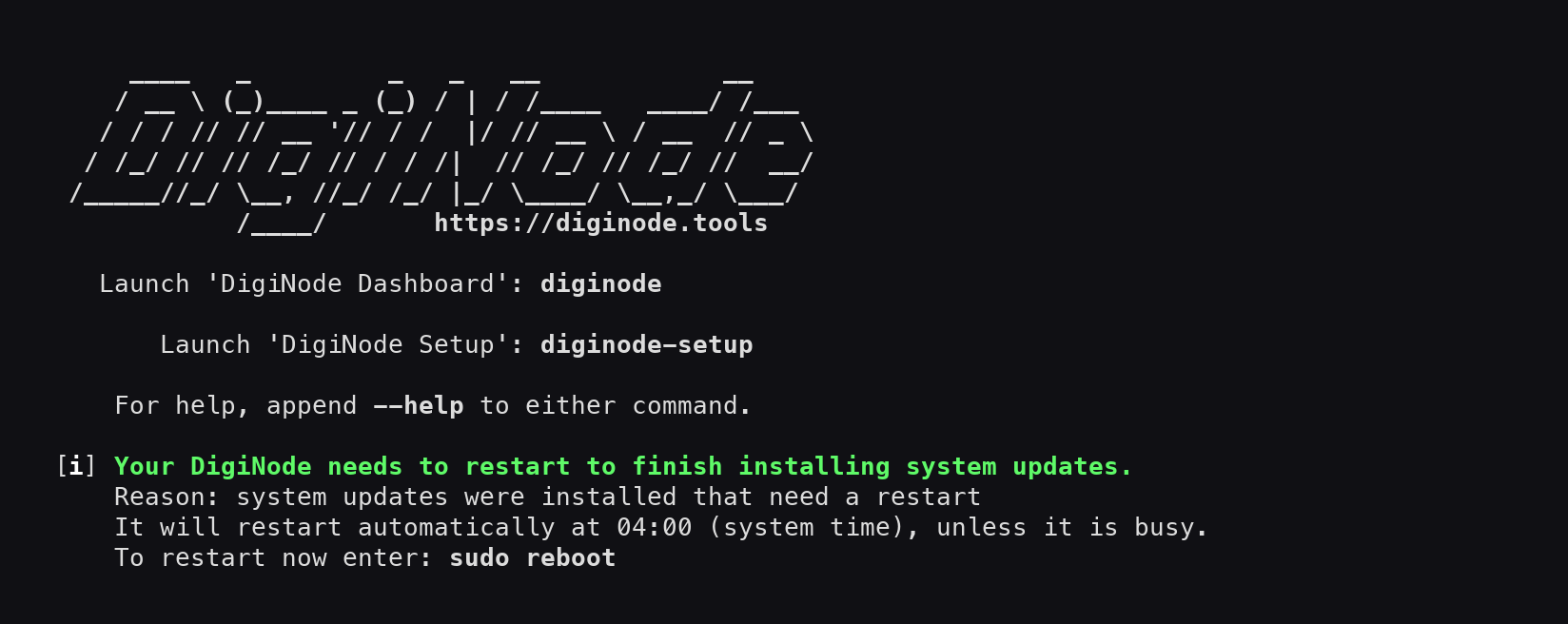
If your DigiNode needs a restart to finish installing system updates, you are now told when DigiNode Setup finishes, when you close DigiNode Dashboard, and when you log in (if you use the DigiNode MOTD). It also tells you if an automatic restart was skipped, and why.
Commands work straight away Improvement
The ‘diginode’ and ‘diginode-setup’ commands, and DigiByte Core’s commands such as ‘digibyte-cli’, now work straight away after a new install - you no longer need to log out or restart first. They are now installed as commands in /usr/local/bin, instead of aliases in your .bashrc file, so they also work with sudo and in scripts, and they stop working straight away when you uninstall. Existing DigiNodes are switched over automatically the next time you run DigiNode Setup.
Other improvements and fixes
- Improvement Fewer restarts - DigiNode Setup no longer tells you to restart after changing your hostname or swap file, after a reset, or after an uninstall, as none of these need one. If your hostname changes, just reconnect using the new name. After an uninstall, log out and back in so the terminal forgets the old commands.
- Improvement Calmer DigiFacts - DigiFacts now come from the new DigiFacts website, and are only shown inside DigiNode Dashboard. If they can’t be updated (for example if you’re offline), the Dashboard keeps showing the saved ones and tries again an hour later, instead of showing an error every time it starts.
- Improvement Links that stay up to date - Links to places outside the DigiNode Tools website, such as the Telegram group and Bluesky, now go through go.diginode.tools. If one ever changes, it’s updated there and your DigiNode follows straight away, without upgrading.
- Improvement Support DigiNode Tools - When you quit DigiNode Dashboard, it now always shows how to sponsor DigiNode Tools or donate DGB, with a link to diginode.tools/sponsor.
- Improvement Tidier setup screens - DigiNode Setup no longer talks about the DigiAsset Node, which can’t currently be installed, and the Tor menu for a Dual Node now fits in a normal-sized terminal window.
- Fix Installing system updates - The reminder to install system updates now gives the right command, ‘sudo apt-get update && sudo apt-get upgrade’. Running only ‘sudo apt-get upgrade’ could fail with “404 Not Found” errors.
- Fix UPnP can be turned on again - Turning UPnP back on from the DigiNode Setup menu now works: before, DigiByte Core restarted but UPnP stayed off. Thanks to ZuneTracks for reporting it.
- Fix Port Tester help link - The port forwarding help link in the Port Tester now fits inside its box, with a shorter address (https://diginode.tools/port-forwarding/), and a typo above it is fixed.
If you run into any issues with this release, please let me know in the DigiNode Tools Telegram group or on GitHub.

Comments
Read new posts in apps such as Leaflet or Standard Reader.
RSS feedView on BlueskyView on Standard ReaderTo comment here as {{handle}}, this site needs one more permission from your Atmosphere account.
Your account's own site (Bluesky's, for most people) will ask you to approve it, and may ask you to sign in there first. Then you'll come straight back here.
Powered by Atmosphere Comments for Astro