


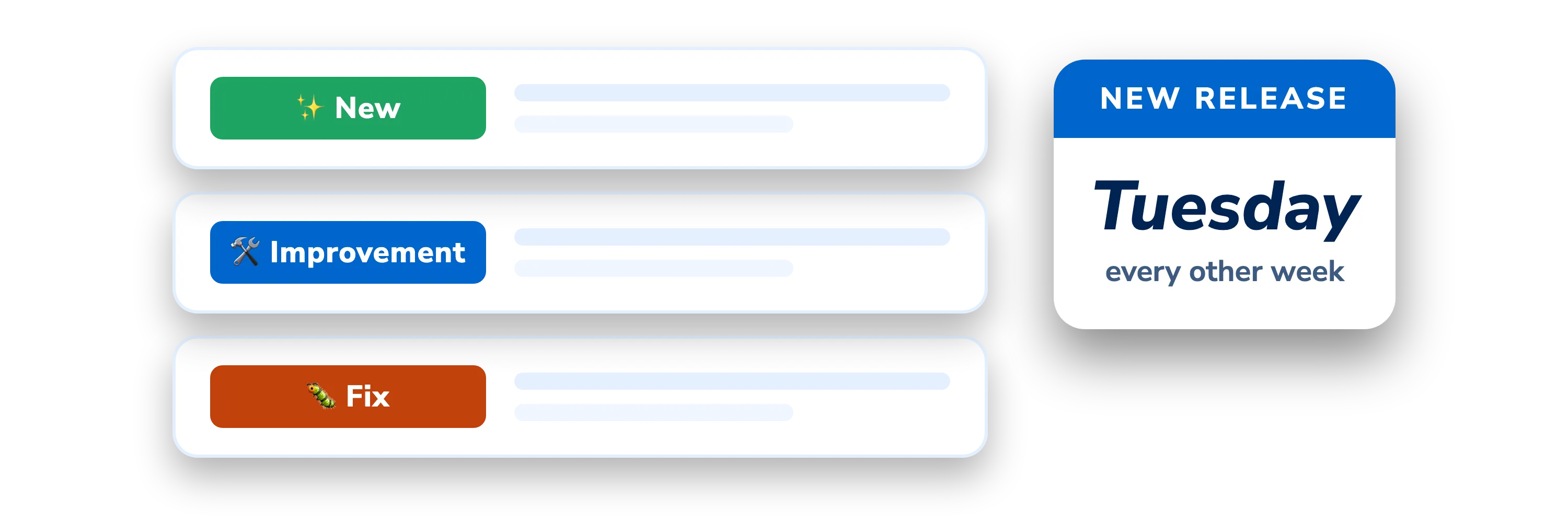
DigiNode Tools v26.10.01: DigiByte Core v9 support, choose your version and more
Sorry for the long wait since the last proper update. I hope this release, the biggest in a long time, makes up for it. DigiNode Tools now supports DigiByte Core v9, and new DigiByte Core releases are verified automatically, so you no longer have to wait for me before you can upgrade. You can also choose which version to run, delete blockchain data from a new menu and hide your IP addresses in DigiNode Dashboard. There’s an important security fix too.
New to DigiNode Tools? See what it does →
DigiByte Core v9 support New
DigiNode Tools can now install DigiByte Core v9. Every DigiByte Core download is checked against its SHA256 hash before it’s installed, and until now I added each release’s hash to the website by hand. I fell behind, so newer releases, including v9, couldn’t be installed with DigiNode Tools.
That’s now automatic. The hashes are published at github.com/DigiNode-Tools/digibyte-hashes, and new releases are checked every day. A hash is only published once it matches the hash GitHub recorded when the file was uploaded, and the SHA256SUMS file included with the release (where there is one). New releases then reach DigiNodes gradually, between 3 and 15 days after they come out, which gives time for any problems to be found before everyone upgrades. Can’t install a new release yet? Try again in a few days.
Its brand new testnet: DigiByte Core v9 has a new testnet, a separate blockchain from the one used by v8 and earlier, which keeps its data in a different folder (~/.digibyte/testnet26) and uses different default ports (12033, and 14026 for RPC). DigiNode Dashboard now shows the right testnet disk usage, ports and log file (diginode --dgb2log), and the mainnet disk usage no longer includes the testnet data. When you upgrade (or downgrade) between v8 and v9, DigiNode Setup offers to delete the blockchain data of the testnet you no longer use, to free up disk space. Your testnet wallets are always kept, but wallets from one testnet can’t be opened by the other, and testnet DGB doesn’t carry over to the new testnet.
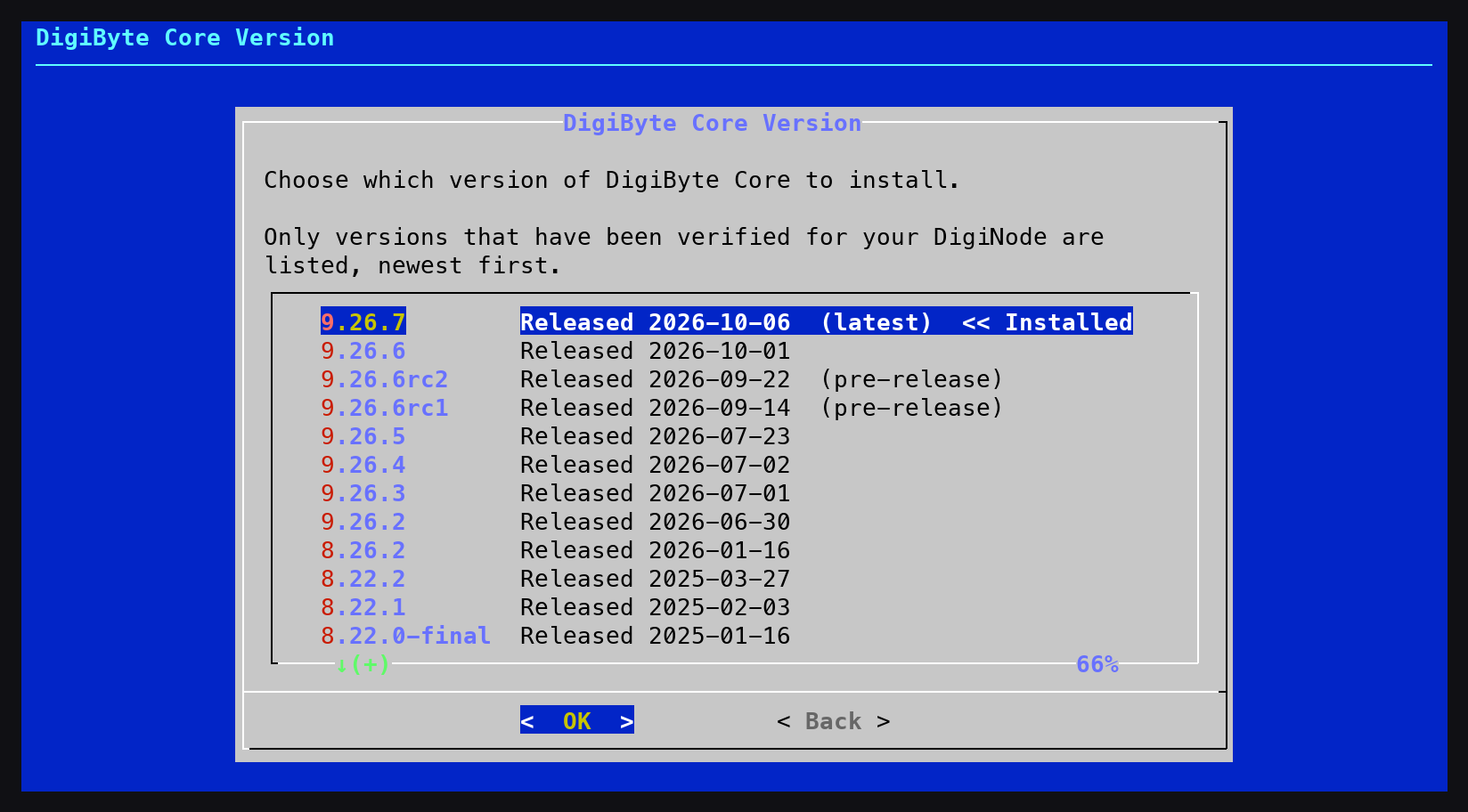
Choose your DigiByte Core version New
You can now install any version of DigiByte Core that has been verified for your DigiNode, going back to v7.17.2. Choose Version from the DigiNode Setup main menu to upgrade or downgrade. During a new install, you can choose the latest version (recommended) or an earlier one. You are warned before installing an older version, and before downgrading to an older major version, which may need the blockchain to be resynced. You then confirm the version you chose, or go back and choose another.
Older pre-releases are always listed; a pre-release newer than the latest release is only listed if you use the --dgbpre flag. You can also install a specific version from the command line with the --dgbver flag (for example --dgbver=8.26.2), or for an unattended install, set UI_DGB_VERSION in diginode.settings.
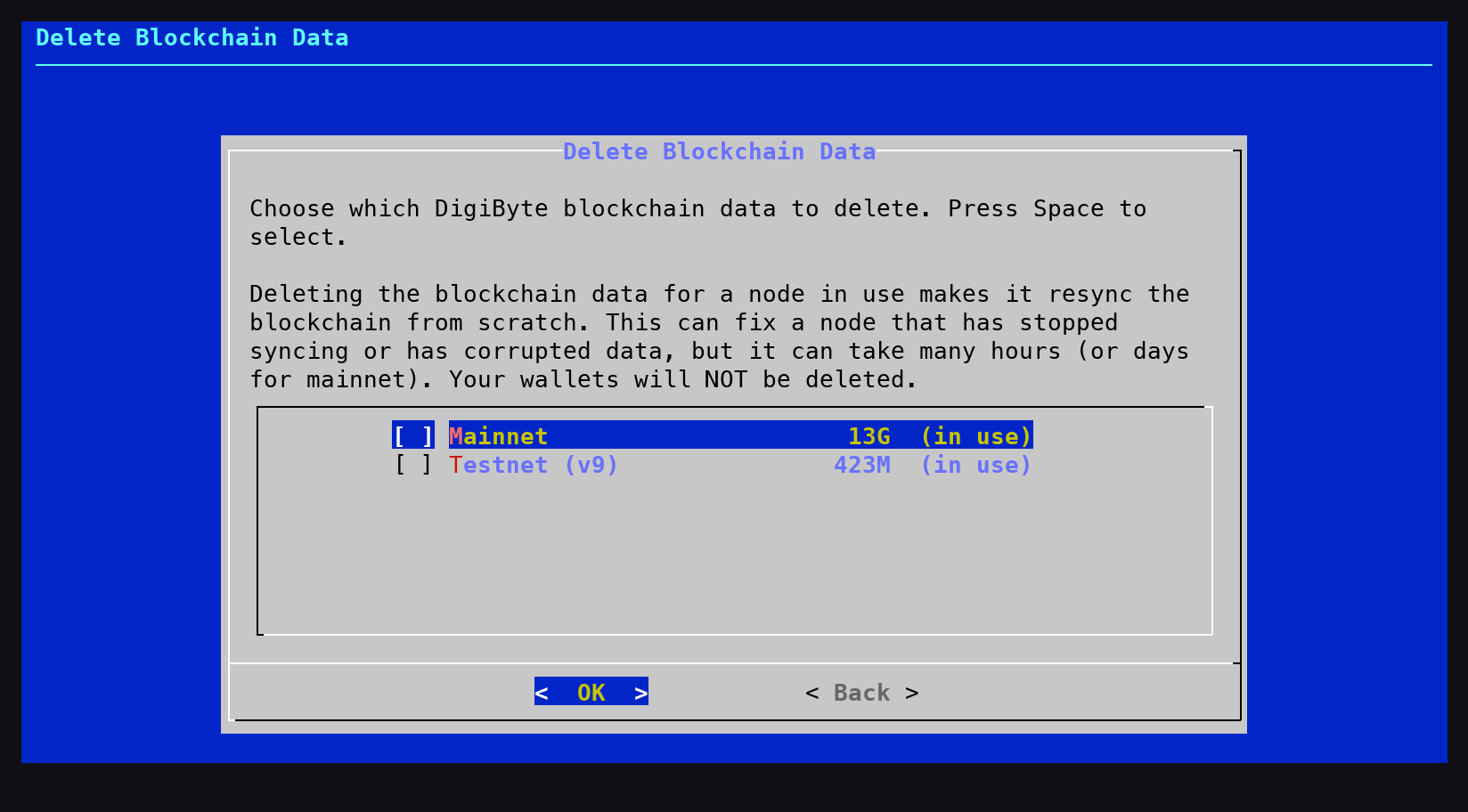
Delete blockchain data New
The new Blockchain option in the DigiNode Setup main menu deletes the blockchain data of the chains you choose (mainnet, testnet, or the old v8 testnet), for example to resync a node that has stopped syncing or has corrupted data, or to free up disk space. Any node using the data is stopped while it is deleted, then restarted so it resyncs from scratch. If the node wasn’t running, you are asked whether to start it. Your wallets are never deleted.
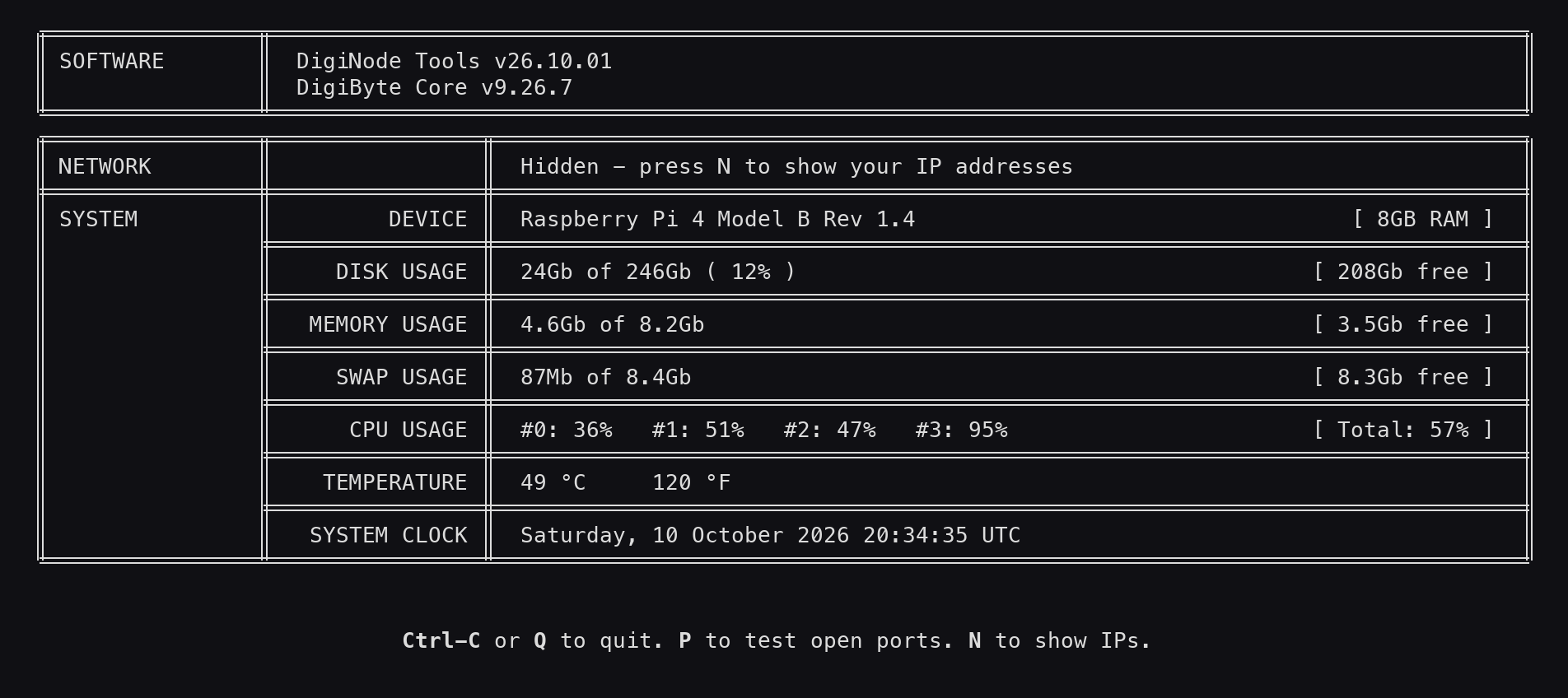
Hide your IP addresses New
Press N in DigiNode Dashboard to hide (or show) your IP and onion addresses, for example before sharing a screenshot.
Your RPC password is kept private Fix
Your digibyte.conf file, which contains your RPC password, can now only be read by your DigiNode user account. Previously, DigiNode Setup could leave it readable by every user on the system. This is fixed automatically the next time you run DigiNode Setup.
Other improvements and fixes
- New Nodes are started and checked - At the end of DigiNode Setup, any DigiByte node that should be running but isn’t is started, and checked a few seconds later to make sure it is still running. If it fails to start, you are shown why from its log file. Nodes you stopped yourself with
diginode --dgbstopordiginode --dgb2stopare left stopped. - Improvement Date-based version numbers - DigiNode Tools versions are now the year, the month and the release number for that month. For example, v26.10.01 is the first release of October 2026, so it’s easy to see how up to date your DigiNode Tools are.
- Improvement Every DigiByte Core release installs - DigiNode Setup now downloads DigiByte Core using the exact download link and file name recorded when each release was verified, instead of guessing them. This fixes installing releases with unusual file or folder names, such as v8.22.0-final and v8.22.0-rc5.
- Improvement Pre-releases - If you use the
--dgbpreflag and there is no pre-release available, DigiNode Setup now offers to upgrade you to the latest release instead, if you don’t already have it. - Improvement Less software installed - DigiNode Setup no longer installs software it doesn’t use: gcc, make, gnupg, tmux, iputils-ping, cron and apt-transport-https. Packages already installed are not removed.
- Improvement Supporting DigiNode Tools - The donation message now links to GitHub Sponsors and thanks the Featured Sponsors, and the DigiAsset message in DigiNode Dashboard explains how sponsoring can help bring DigiAsset Core support to DigiNode Tools.
- Fix No more apparent freezes - DigiNode Dashboard no longer appears to freeze when a DigiByte node is too busy to respond, for example while it syncs. A spinner shows while it waits for a node at startup, and once running it shows that the node is busy and carries on as soon as it responds. Previously it could wait up to 15 minutes with no sign of what was happening.
- Fix Upgrading a node that is starting up - Upgrading DigiByte Core while a node was still starting up left it running the old version, and it was not restarted. It is now stopped, upgraded and restarted.
- Fix Restarting a crashed node -
diginode --dgbrestartanddiginode --dgb2restartnow work for a node that crashed several times in a row. Before, they appeared to work, but the node was not started. - Fix Wallet list kept - Deleting the blockchain (for example when uninstalling) no longer deletes settings.json, which DigiByte Core uses to remember which wallets to load at startup, and now removes the data for both the old and the new testnet.
- Fix Up-to-date sync percentage - DigiNode Dashboard no longer shows an out of date sync percentage when a node has only just started syncing.
- Fix The disclaimer is asked once - DigiNode Setup no longer asks you to agree to the disclaimer again every time DigiNode Tools is upgraded.
- Fix Update checks you can trust - DigiNode Dashboard no longer says a DigiByte Core update is available until it has been verified for your DigiNode, and checks for a newer release every day, even when an update is already waiting. If the newest release hasn’t reached your DigiNode yet, DigiNode Setup now upgrades you to the newest one that has, instead of skipping the upgrade.
- Fix Pre-release upgrades - Upgrading between DigiByte Core pre-releases now works with the new version format (for example v9.26.6rc1 to v9.26.6rc2, and v9.26.6rc2 to v9.26.6), and Reset Mode shows the right version when running a pre-release.
- Fix Only releases for your device - DigiByte Core releases that have no download for your type of device (such as v8.26.0 and v8.26.1 on a Raspberry Pi) are no longer offered.
- Fix Smaller fixes - Fixed broken links to the static IP and port forwarding guide and to the Argon One fan software, and removed a “Permission denied” message shown when installing a DigiByte Core pre-release.
This post covers DigiNode Tools v0.11.4 and v26.10.01. Each release’s own notes are on GitHub.
If you run into any issues with this release, please let me know in the DigiNode Tools Telegram group or on GitHub.

Comments
Read new posts in apps such as Leaflet or Standard Reader.
RSS feedView on BlueskyView on Standard ReaderTo comment here as {{handle}}, this site needs one more permission from your Atmosphere account.
Your account's own site (Bluesky's, for most people) will ask you to approve it, and may ask you to sign in there first. Then you'll come straight back here.
Powered by Atmosphere Comments for Astro