


How DigiNode began: "I made a thing!"
On 10 September 2021 I shared a little bash script on X that monitored a DigiByte full node running on a Raspberry Pi 4. It was the first time I’d ever written a bash script. Within weeks it had a name, a status monitor and the beginnings of an installer: the start of what became DigiNode Tools.
New to DigiNode Tools? See what it does →
“I made a thing!”
I made a thing! It’s a bash script that lets you monitor a #DigiByte Full Node running on a Raspberry Pi 4 (though could no doubt be adapted for other devices.) I’m irrationally proud of it because I’ve never written a bash script before. It took HOURS of Googling!
That first post got more attention than I expected, and plenty of encouragement, including “Kudos to you for knowing what a bash script is” (see the replies). The node was running on a Raspberry Pi 4 8GB, booting from an SSD over USB 3 rather than a microSD card.
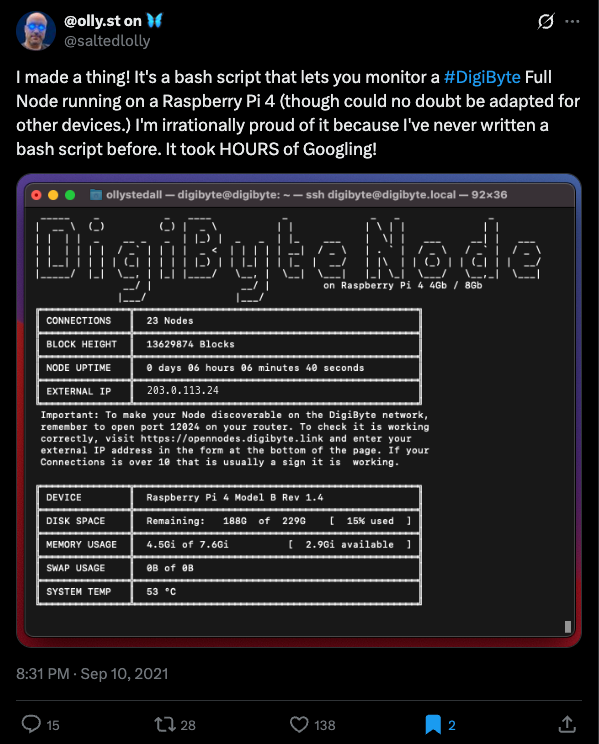
Even then, it reminded you to open port 12024 on your router so that other nodes could find yours. Checking that port is still one of the most useful things DigiNode Dashboard does today.
“Who wants to run a DigiNode?”
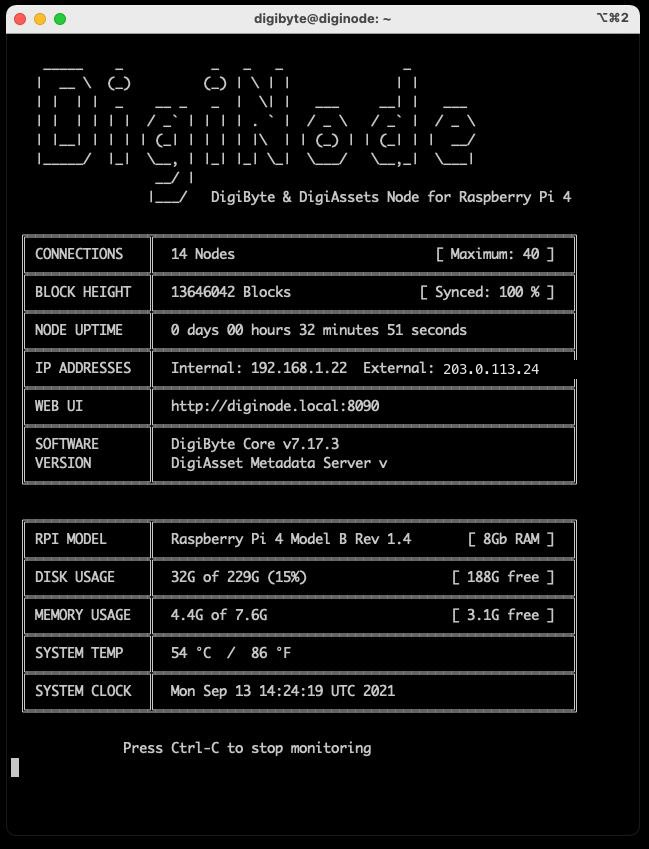
Three days later it had a name. I’d been running the DigiAsset Metadata server alongside DigiByte Core since June 2021, with some help from @mctrivia, and the monitor now showed both: a DigiByte & DigiAssets Node for the Raspberry Pi 4. A DigiNode. (View on X)
An installer, and a status monitor
On 16 September I posted an update. I was working on an “official” install script that would set up your DigiNode for you, so that everything would be in the right place for the status monitor. My original plan was to only target the Pi 4, but I wanted the monitor to work with any Linux-based DigiByte node.
My hope with these scripts is that even if you have never used Linux before you should be able to setup a Pi4 based #DigiNode with ease. You also won’t need a keyboard or display attached to your Pi - you will just SSH into the machine from your laptop and type ‘digimon’.
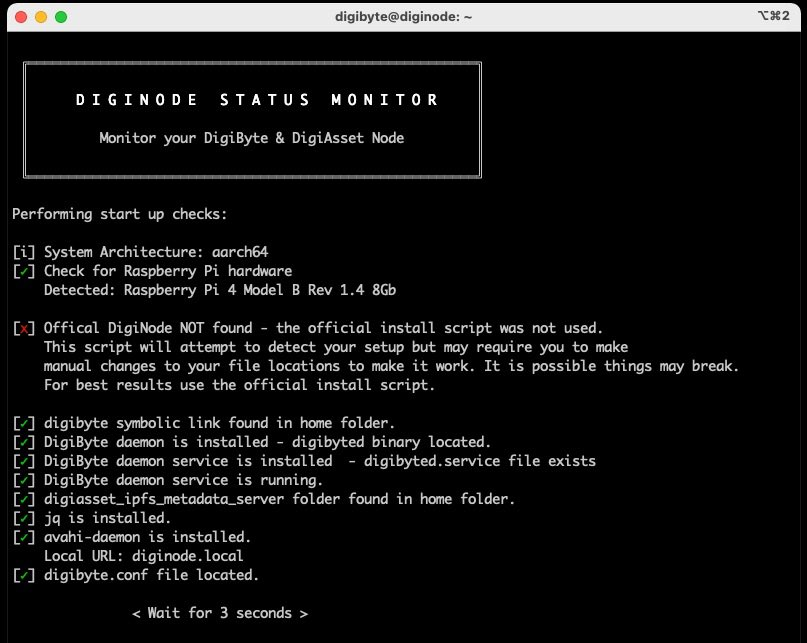
The monitor checked it could find your DigiByte node when it started, and told you what was wrong if it couldn’t. One day, I hoped, it would check GitHub for updates and install them with a single key press. Nodetastic!
The installer comes together
By 8 October the installer was coming together, and the plan was clear: the installer and the status monitor would work together to help you install, monitor and upgrade your DigiNode. It already insisted on booting from an SSD rather than a microSD card, for speed and because microSD cards are so easily corrupted.
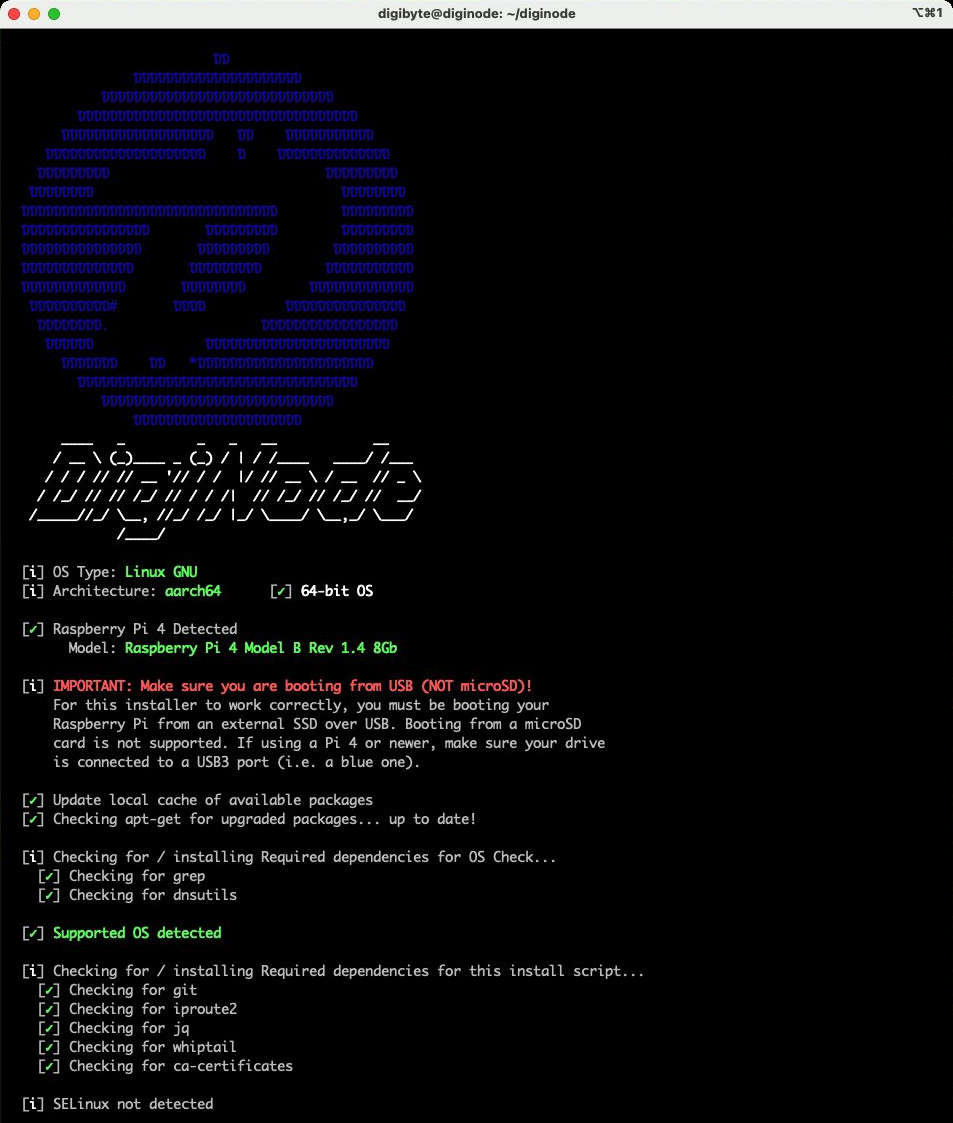
A week later, looking back at that first screenshot, I wrote:
Looking at this now really makes me see how far things have progressed in a month, & how much I have learnt. I can’t wait to get it out there so other people can use it to set up & monitor their own #DigiNode.
What happened next
The first test release, v0.0.1, came out on 12 November 2021. The status monitor became DigiNode Dashboard, digimon became diginode, and the single-key-press updates I hoped for in that first month arrived, then became automatic. Every release since is in Release Notes, starting with the first releases.

Comments
Read new posts in apps such as Leaflet or Standard Reader.
RSS feedView on BlueskyView on Standard ReaderTo comment here as {{handle}}, this site needs one more permission from your Atmosphere account.
Your account's own site (Bluesky's, for most people) will ask you to approve it, and may ask you to sign in there first. Then you'll come straight back here.
Powered by Atmosphere Comments for Astro