


DigiNode Tools v26.11.01: Wallets menu, Delete a wallet safely, USB wallet backup and more
In this release, managing your DigiByte wallets has been completely revamped and redesigned. There’s a new Wallets menu where you can view, create, back up, restore and safely delete your wallets, and backing up to a USB stick works again with current versions of DigiByte Core.
New to DigiNode Tools? See what it does →
Wallets menu New
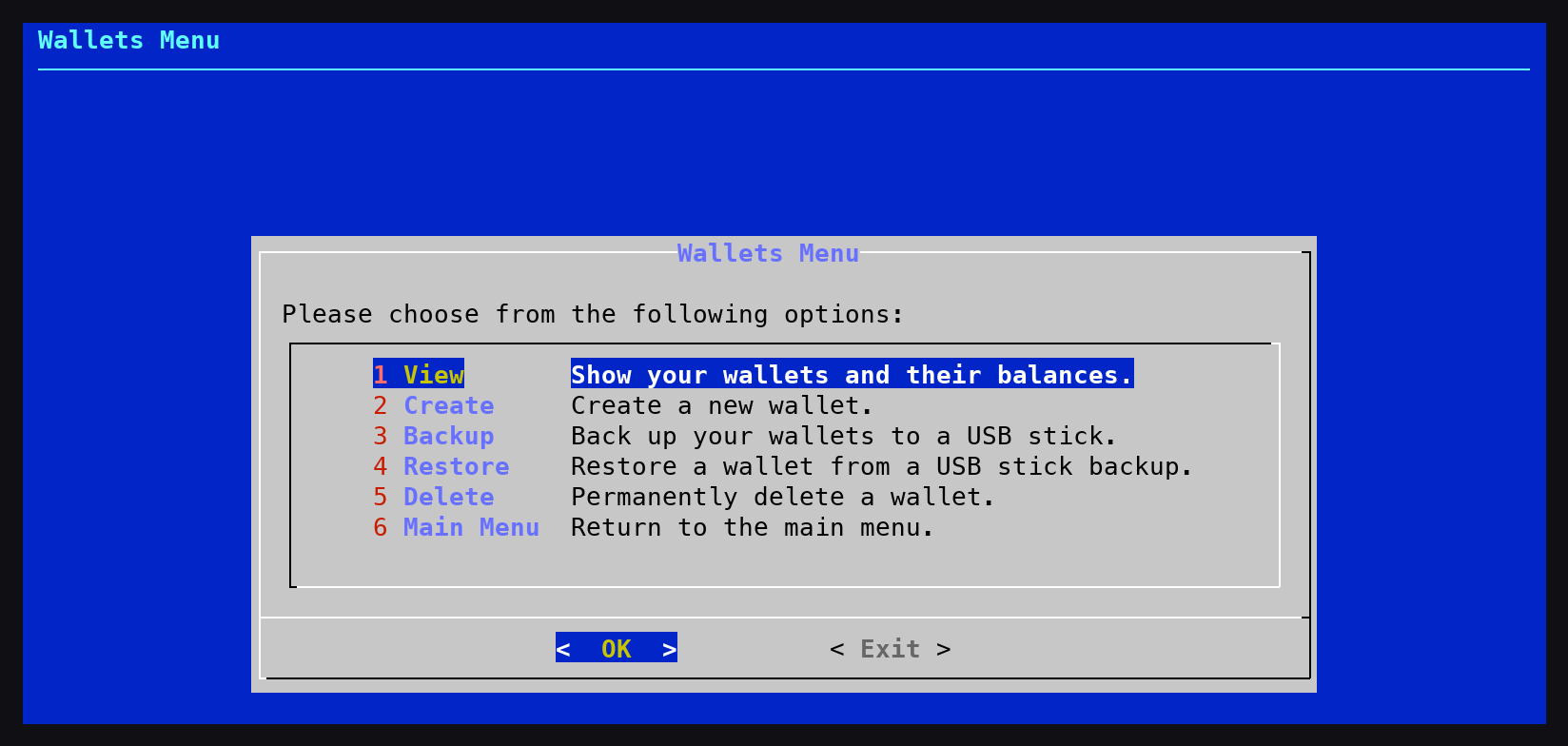
The DigiNode Setup main menu has a new Wallets option, which replaces Backup and Restore. From one place you can:
- View your wallets, their balances and when each was last backed up
- Create a new wallet, with a passphrase to encrypt it (recommended)
- Back up your wallets to a USB stick
- Restore a wallet from a USB stick backup, including one made with an earlier version of DigiNode Tools
- Delete a wallet you no longer need
Mainnet and testnet wallets can be backed up and restored even when that node isn’t running. Restoring never replaces an existing wallet: the backup comes back as a new wallet, with a name you choose.
Delete a wallet safely New
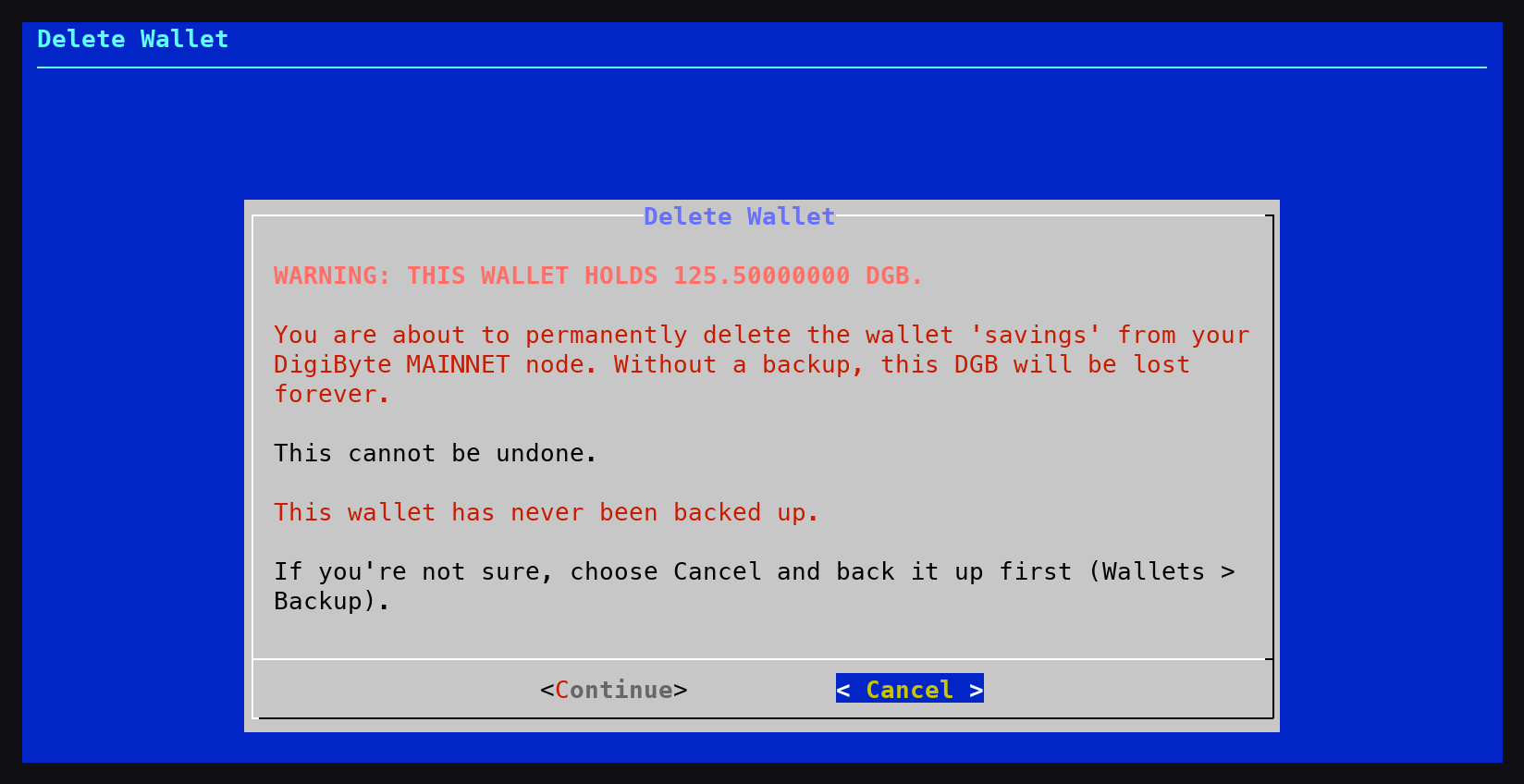
The Wallets menu can delete a wallet you no longer need. Deleting a wallet is permanent, so DigiNode Setup makes sure you mean it. If the wallet still holds DGB, you get a clear warning in red showing its balance, and that without a backup it will be lost forever. You are also told when the wallet was last backed up, or that it has never been backed up. Cancel is the default, and to go ahead you must type I UNDERSTAND.
USB wallet backup Fix
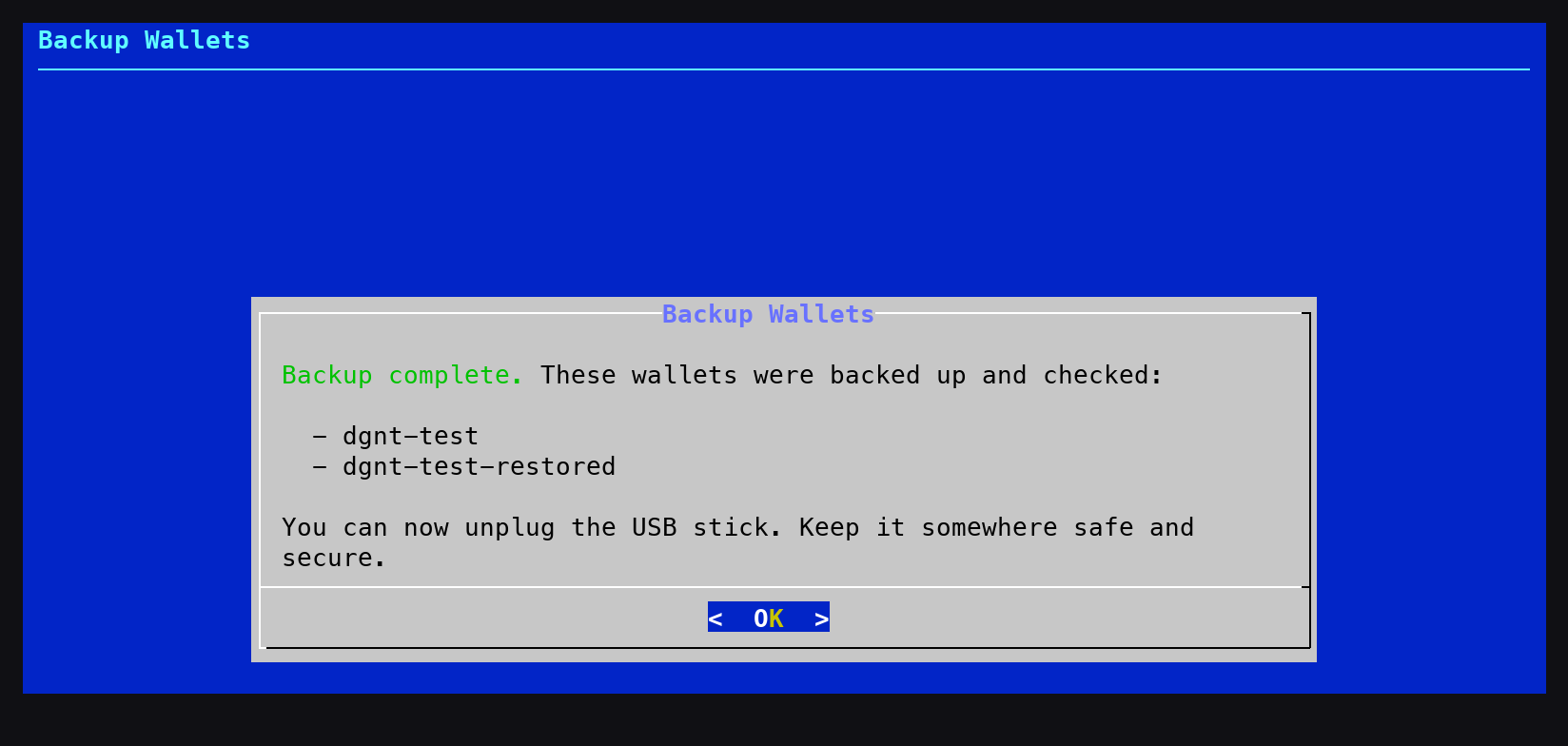
Backing up your wallet to a USB stick works again with current versions of DigiByte Core, which keep wallets in a different place and no longer create a wallet automatically. Every wallet on your node can now be backed up, not just the default one, and each backup is made by DigiByte Core itself, then read back from the USB stick and opened to check it is a working wallet. Your previous backup of each wallet is kept on the stick too. USB sticks formatted by an earlier version of DigiNode Tools now work again.
Testnet sync progress Fix
On a Dual Node or a testnet node, DigiNode Dashboard showed the testnet blockchain as 100% synced while it was still syncing. This is caused by DigiByte Core, which always reports testnet as fully synced (reported to the DigiByte Core developers). DigiNode Dashboard now works out the testnet sync progress itself, and only shows a node as fully synced once DigiByte Core has finished its initial sync.
If you run into any issues with this release, please let me know in the DigiNode Tools Telegram group or on GitHub.

Comments
Read new posts in apps such as Leaflet or Standard Reader.
RSS feedView on BlueskyView on Standard ReaderTo comment here as {{handle}}, this site needs one more permission from your Atmosphere account.
Your account's own site (Bluesky's, for most people) will ask you to approve it, and may ask you to sign in there first. Then you'll come straight back here.
Powered by Atmosphere Comments for Astro