


DigiNode Tools v0.11.3: Dashboard enhancements - new port tester, mempool transactions, peer connection counts, and more
DigiNode Dashboard can now check that other nodes can reach yours. Its new port tester, built for DigiNode Tools, tests your nodes at IPv4, IPv6 and onion addresses. DigiNode Dashboard also shows each node’s mempool and its incoming and outgoing connections, and there are plenty of smaller improvements and fixes.
New to DigiNode Tools? See what it does →
A port tester built into DigiNode Dashboard New
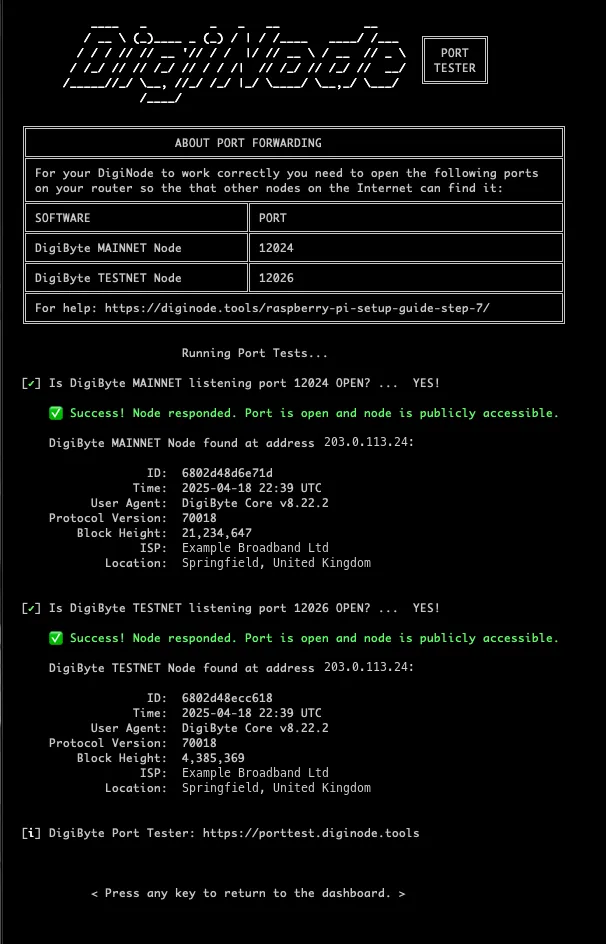
DigiNode Dashboard has a brand new port tester, built for DigiNode Tools. Press P to check that other DigiByte nodes can reach yours, whether your node is at an IPv4, IPv6 or onion (Tor) address. It shows your node’s details as other nodes see them: its version, block height and roughly where it is.
Once your nodes pass, the test is switched off, then switched back on automatically 24 hours later, or when you switch Tor on or off. Anyone can use the port tester on the website too: DigiByte Port Tester.
Mempool and connections New
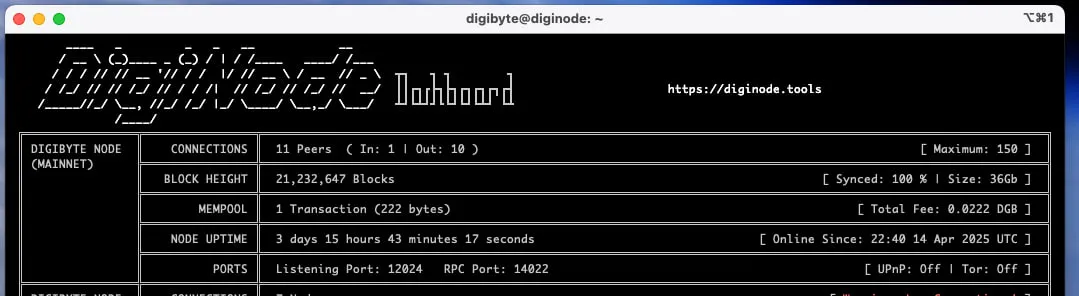
DigiNode Dashboard can now show each node’s mempool: the transactions waiting to go into a block. It appears when transactions arrive, and hides again once none have been seen for 30 seconds, so it’s only there when there’s something to show. On narrower terminal windows, the mempool size in bytes is left out to keep the display tidy.
To turn it on or off, run diginode --settings and change SM_DISPLAY_MAINNET_MEMPOOL and SM_DISPLAY_TESTNET_MEMPOOL. SM_MEMPOOL_DISPLAY_TIMEOUT sets how long it stays on screen.
DigiNode Dashboard also shows how many incoming and outgoing connections each node has.
Other improvements and fixes
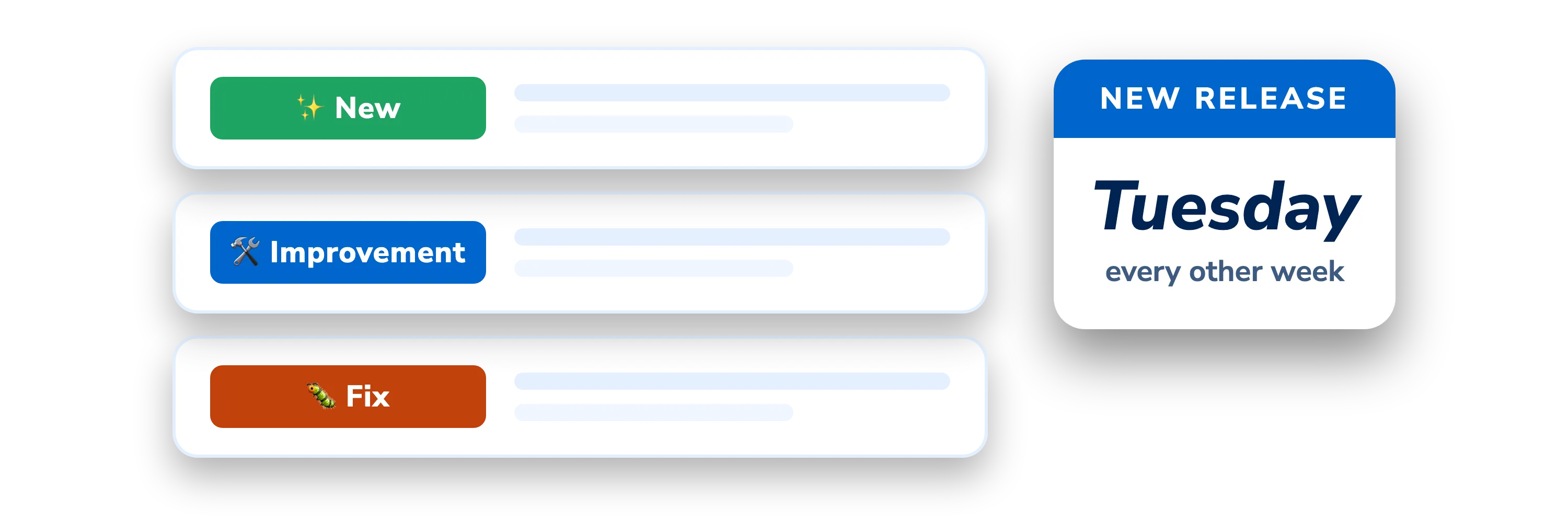
- Improvement DigiNode Dashboard runs for 24 hours - It now quits automatically after 24 hours by default (1440 minutes), and its auto-quit timer is much more accurate.
- Improvement A fresh start after switching to or from Tor - peers.dat is now deleted whenever you switch between a Tor node and a clearnet node, so your node starts with a fresh list of peers to connect to.
- Improvement More DigiNode tips - A few more tips have been added.
- Improvement DigiAsset Core - DigiNode Dashboard now explains that DigiAsset Core can’t be supported yet, because of a bug in DigiByte Core v8.22.x.
- Fix Listening ports shown correctly - On a Dual Node, the testnet listening port is now shown while the node starts up (it was blank). When a node doesn’t report its own address and port, the port is now read from digibyte.conf, instead of showing “null”.
- Fix Sync progress reset - The blockchain sync progress is now reset when the blockchain data is deleted or the network is changed.
- Fix Startup error - An error that was occasionally seen when DigiNode Dashboard started should now be fixed.
- Fix Argon One fan software - It now installs correctly.
- Fix Fahrenheit temperatures - These are now shown correctly.
- Fix DigiFacts - Errors are now handled more gracefully if the DigiFacts service is down, and a spelling mistake in a DigiFact tip is fixed.
- Fix Tidier display - The right border of the Connections row now lines up.
This post covers DigiNode Tools v0.11.0, v0.11.1, v0.11.2 and v0.11.3. Each release’s own notes are on GitHub.
If you run into any issues with this release, please let me know in the DigiNode Tools Telegram group or on GitHub.

Comments
Read new posts in apps such as Leaflet or Standard Reader.
RSS feedView on BlueskyView on Standard ReaderTo comment here as {{handle}}, this site needs one more permission from your Atmosphere account.
Your account's own site (Bluesky's, for most people) will ask you to approve it, and may ask you to sign in there first. Then you'll come straight back here.
Powered by Atmosphere Comments for Astro