DigiNode Tools is easy enough for your first ever node, and flexible enough for power users. Here's everything it can do.
Easy setup Your node, your way Safe and up to date Monitor Manage
Easy setup
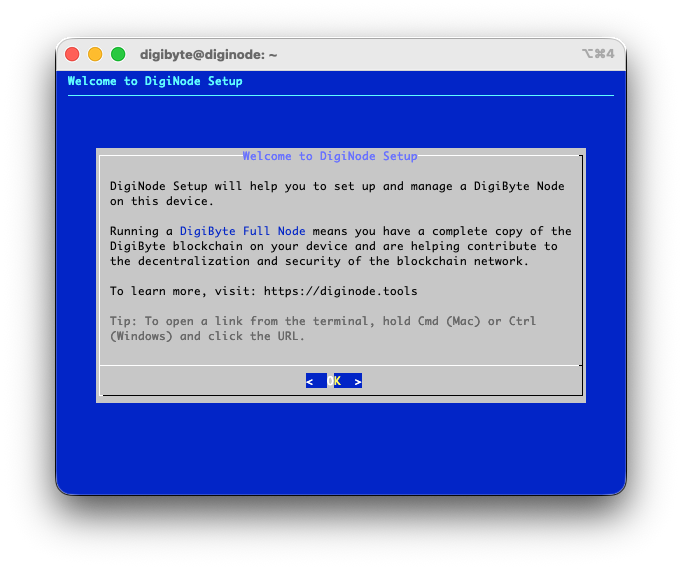
Menu-driven setup
DigiNode Setup asks a few simple questions and does the rest - almost no Linux experience needed. Power users can customise every part of it with launch flags (see Advanced Features).
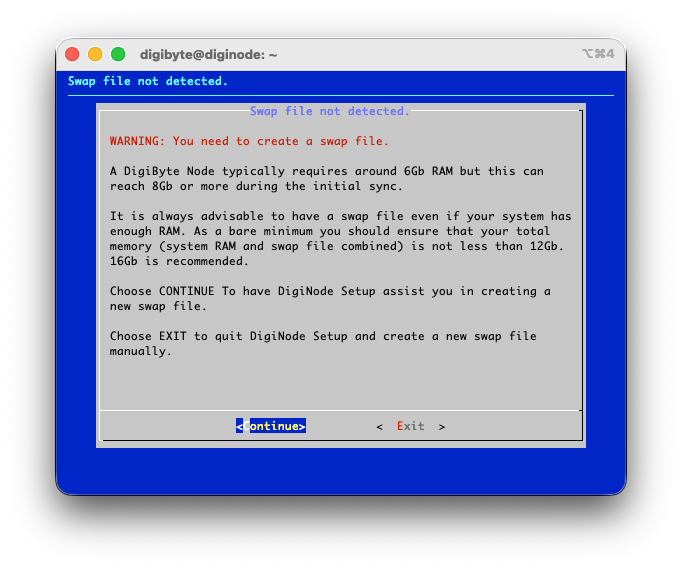
Swap file helper
On devices with less memory, it helps you create a swap file, and works out the right size for you.
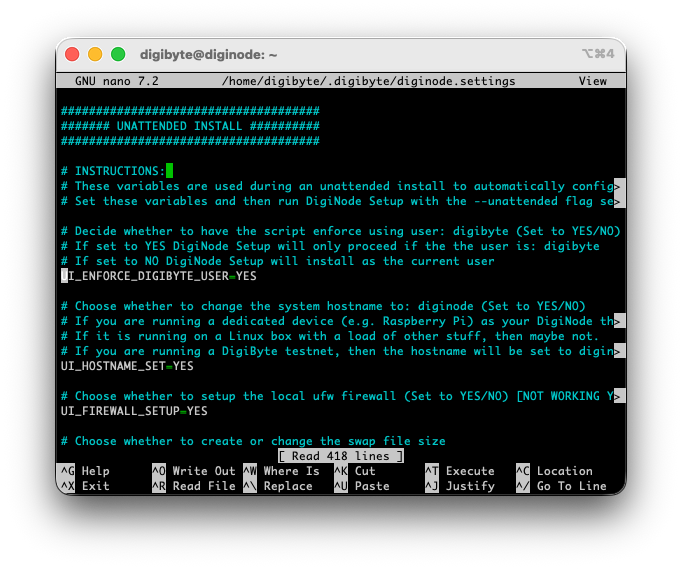
Unattended installs
Install or upgrade with no menus at all - set your answers in diginode.settings first. Handy for setting up several nodes.
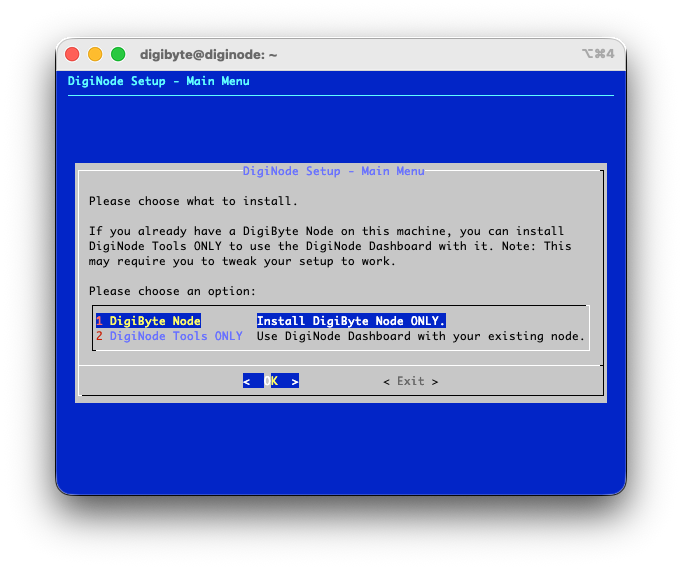
DigiNode Tools only
Already run a DigiByte node? Install just DigiNode Tools and use the Dashboard with it. Also a good way to read the scripts before a full install.
Checks your system first
Before anything is installed, it checks your hardware and operating system are supported, and that there's enough disk space, memory and swap. It recognises every Raspberry Pi model, including a Raspberry Pi 5 starting from an NVMe SSD.
Runs where you want
On a Raspberry Pi 5 or 4, or any 64-bit Ubuntu or Debian system - at home or on a cloud server (VPS). ARM64 and x86_64 are both supported. No screen, keyboard or mouse needed: you manage it all remotely. See the System Requirements.
Its own user account
Optionally keeps your DigiNode in its own 'digibyte' user account, separate from everything else on the system.
Your node, your way
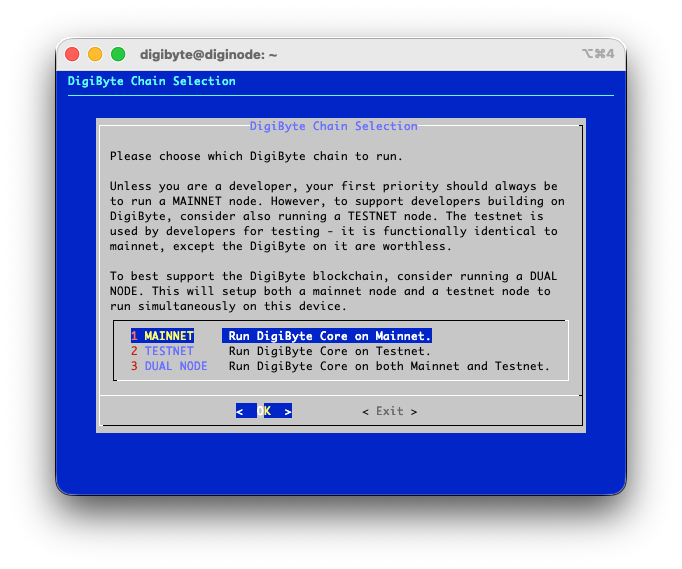
Mainnet, testnet or a Dual Node
Run a DigiByte Mainnet node, a Testnet node, or both together on one device (a Dual Node, which needs at least 8GB RAM) - and switch at any time from the menu. A testnet node helps the developers who test new DigiByte software.
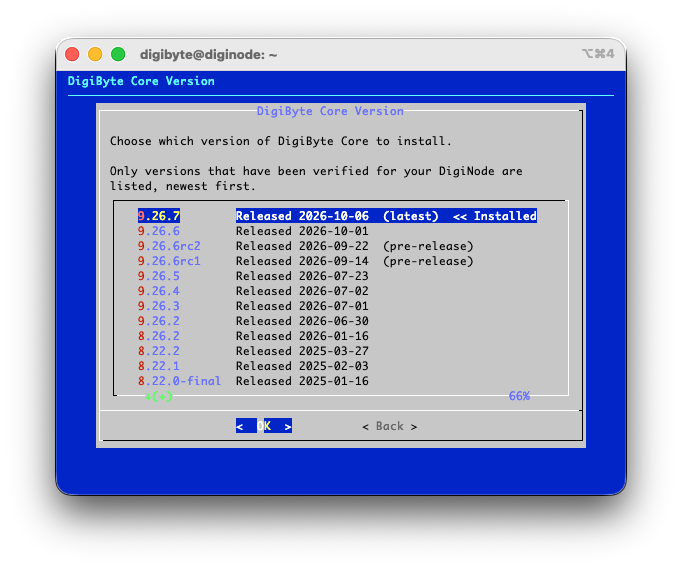
Choose your DigiByte Core version
Install the latest release, or upgrade or downgrade to any verified version of DigiByte Core, back to v7.17.2. Want to help test new releases? Install pre-releases too.
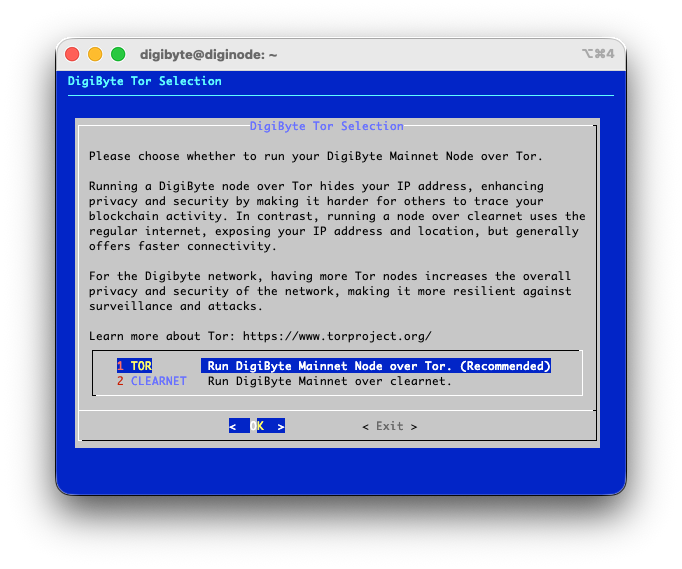
Tor support
Run your mainnet and/or testnet node over the Tor network for extra privacy. The Dashboard shows your node's onion address.
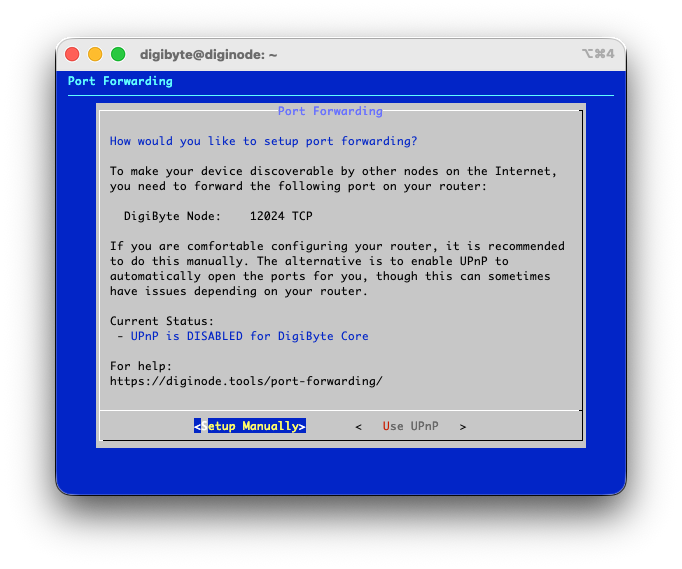
Port forwarding, your choice
Let UPnP ask your router to open the port automatically, or forward it yourself (recommended - see the step-by-step guide).
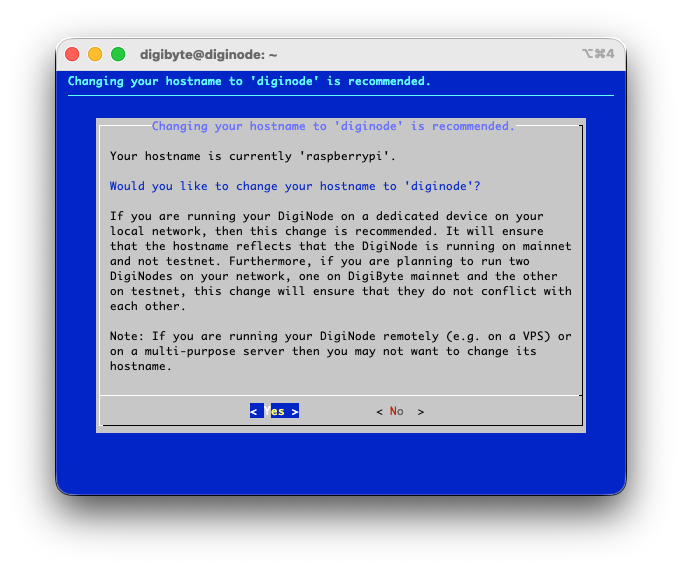
Easy to find on your network
Sets your device's name to 'diginode' (or 'diginode-testnet'), so you can connect with SSH [email protected] - no need to look up its IP address.
Configured for you
Creates digibyte.conf with settings suited to your hardware, sets up RPC credentials, and installs system services so your node starts automatically - and comes back by itself after a power cut.
Safe and up to date
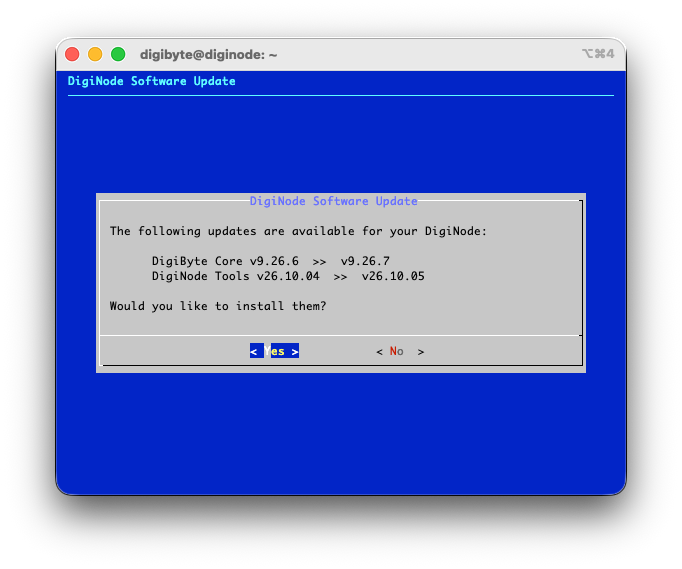
Easy updates
One menu option checks for updates to DigiNode Tools and DigiByte Core. Install them all together, or one at a time. DigiNode Dashboard checks for new versions of DigiNode Tools every hour.
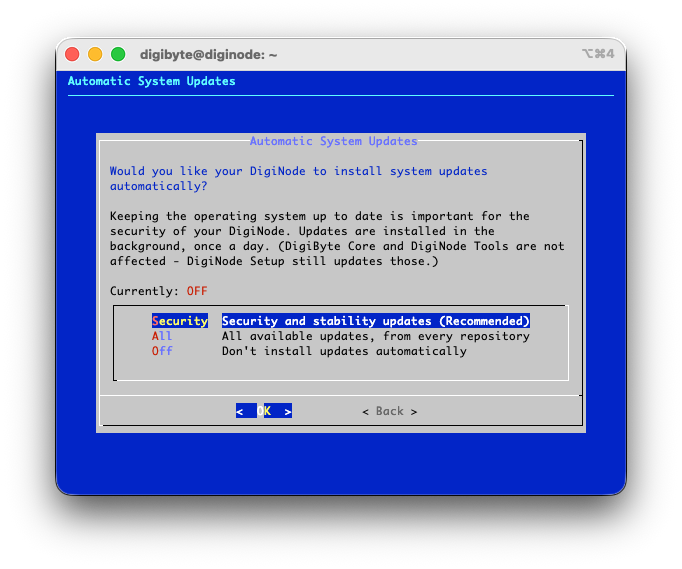
Automatic system updates NEW
DigiNode Tools can install operating system updates for you, once a day in the background - security and stability updates (recommended), all updates, or none. Debian, Ubuntu and Raspberry Pi OS. Change it any time from the System menu.
Verified DigiByte Core downloads
Every DigiByte Core download is checked against a SHA256 hash, published only after the file matches GitHub's own records and the release's checksums. See digibyte-hashes.
Gradual rollouts
New DigiByte Core releases reach DigiNodes gradually, 3 to 15 days after they're released, so any problems can be found before everyone upgrades.
Restarts only when needed NEW
When an update needs a restart to finish, such as a new Linux kernel, your DigiNode can restart itself overnight (at 04:00, or a time you choose) - and never while it's busy.
Restart reminders NEW
If a restart is needed, you're told when DigiNode Setup finishes, when you close DigiNode Dashboard, and when you log in.
Checks your node is running
At the end of every setup run, DigiNode Setup checks each node has started and is still running. If one fails, it shows you why.
Monitor
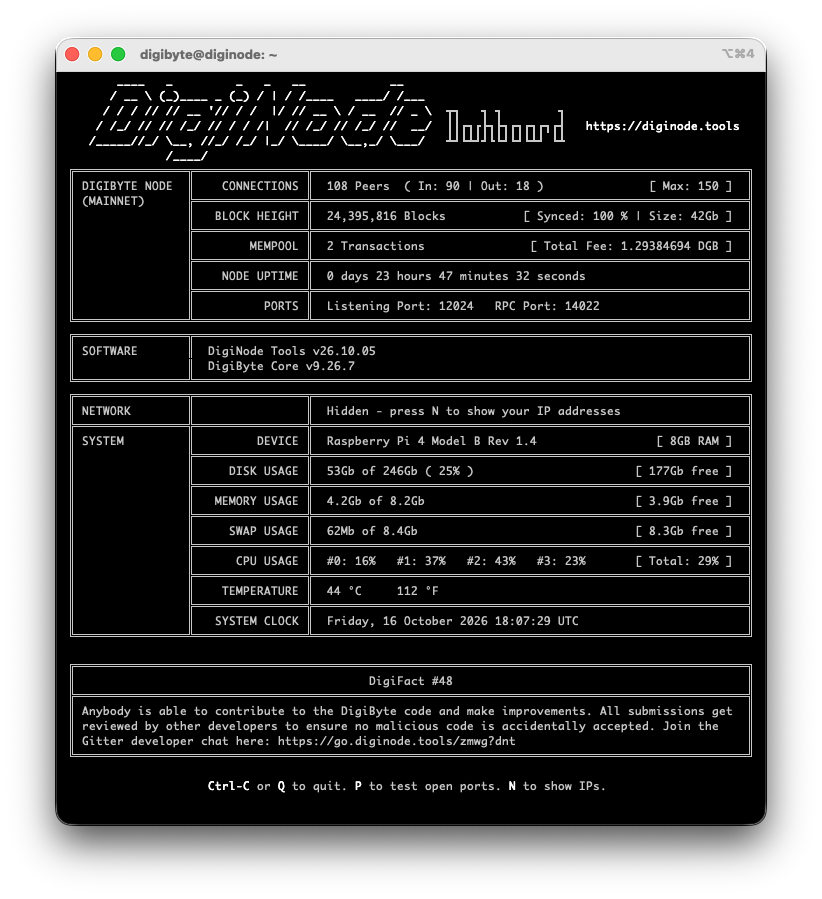
DigiNode Dashboard
A live view of your DigiNode: sync progress, block height, incoming and outgoing connections, mempool, uptime and the disk space your blockchain uses - plus your system's CPU, memory, swap, disk and temperature. Just enter diginode.
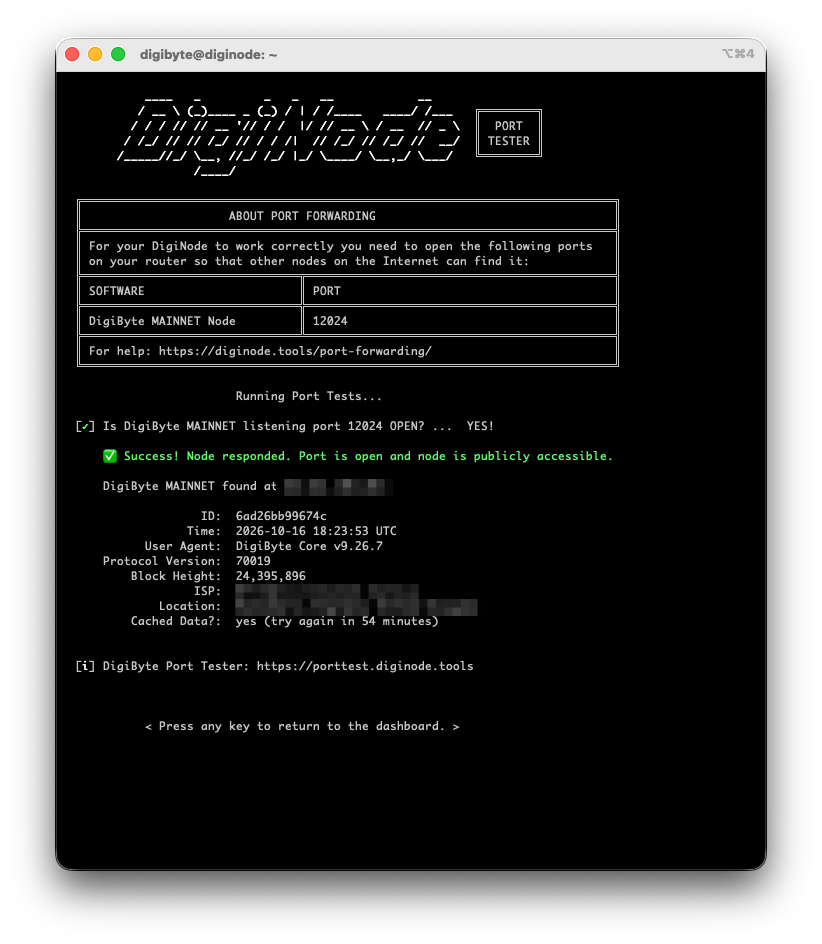
Built-in Port Tester
Check that other DigiByte nodes can reach yours, at IPv4, IPv6 and onion addresses. It's also on this website: DigiByte Port Tester.
Update alerts
The Dashboard tells you when an update is available for DigiNode Tools or DigiByte Core. Don't want a particular DigiByte Core version? Choose "Don't ask me again".
Hide your addresses
Press N in the Dashboard to hide your IP and onion addresses - for example before sharing a screenshot.
DigiFacts
Learn something new about DigiByte while you watch your node: the Dashboard shows a different DigiFact every few minutes.
Manage
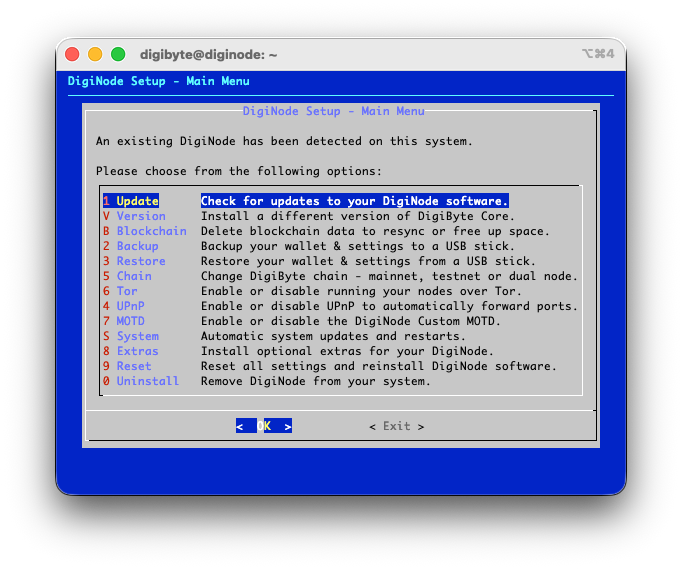
Simple management menu
Enter diginode-setup for one menu to do it all: install updates, back up and restore, change chain, turn Tor, UPnP and the DigiNode MOTD on or off, change DigiByte Core version, delete blockchain data, change system updates, install extras, reset or uninstall.
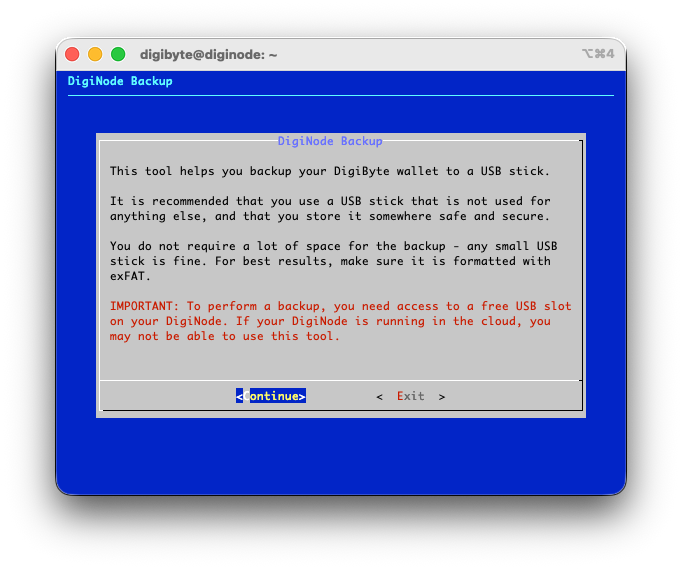
Backup and restore
Back up your DigiByte wallet and settings to a USB stick, and restore them later - also handy for moving your DigiNode to a new device. Every copy is checked to make sure it's identical.
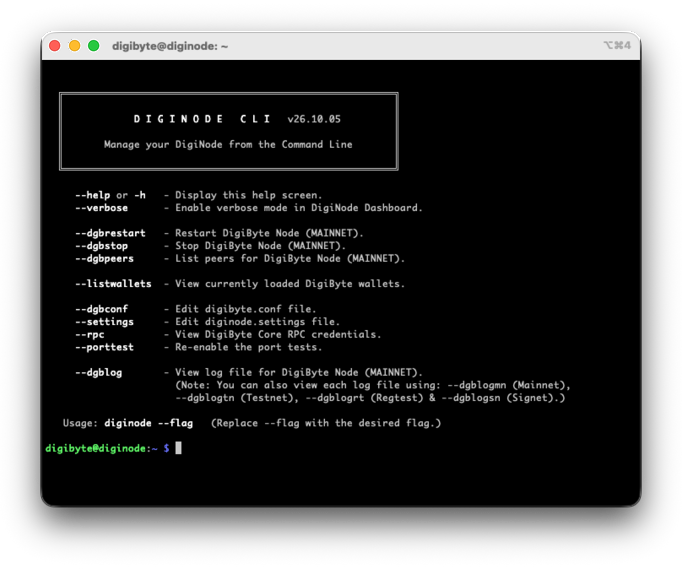
Command line tools
Enter diginode --help for quick commands: restart or stop your node, view its logs and peers, edit digibyte.conf, show your RPC credentials, and more.
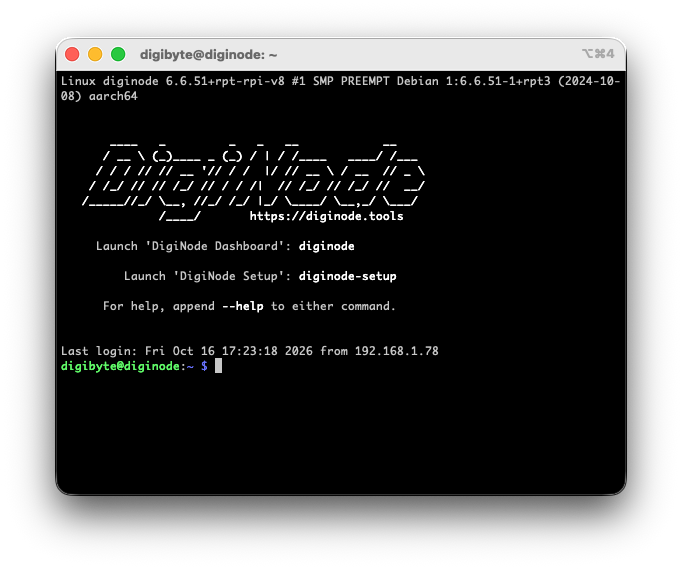
DigiNode MOTD
An optional welcome screen when you log in, with the DigiNode logo and the commands you need - so there's nothing to remember.
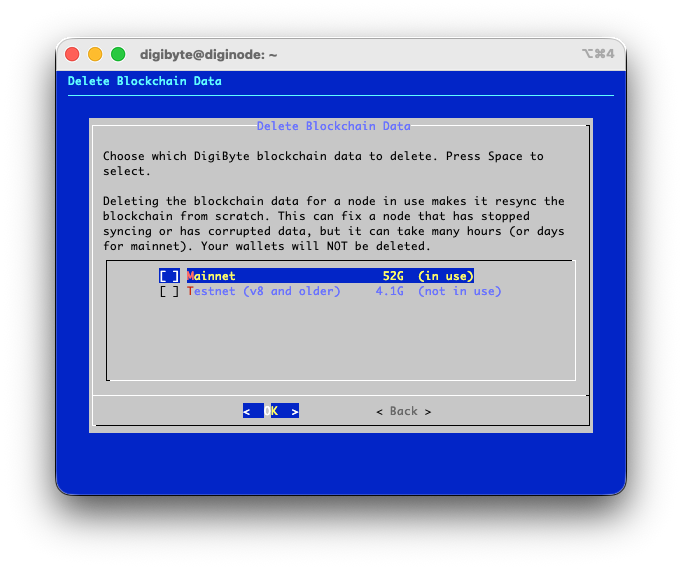
Delete blockchain data
Start a stuck node syncing again from scratch, or free up space from a chain you no longer use. Your wallets are kept.
Argon ONE fan software
Using an Argon ONE case on a Raspberry Pi 4? Install the software for its fan and power button from the Extras menu.
Repair and uninstall
Reset reinstalls your DigiNode software to fix problems. Uninstall removes it, asking you about each part as it goes.
What's next?
DigiNode Tools keeps getting better. It's free, and its code is public - see what I hope to work on next, and help make it happen:
Please Support DigiNode Tools
DigiNode Tools is free, and I build and maintain it in my spare time. If it's useful to you, please consider supporting my work: