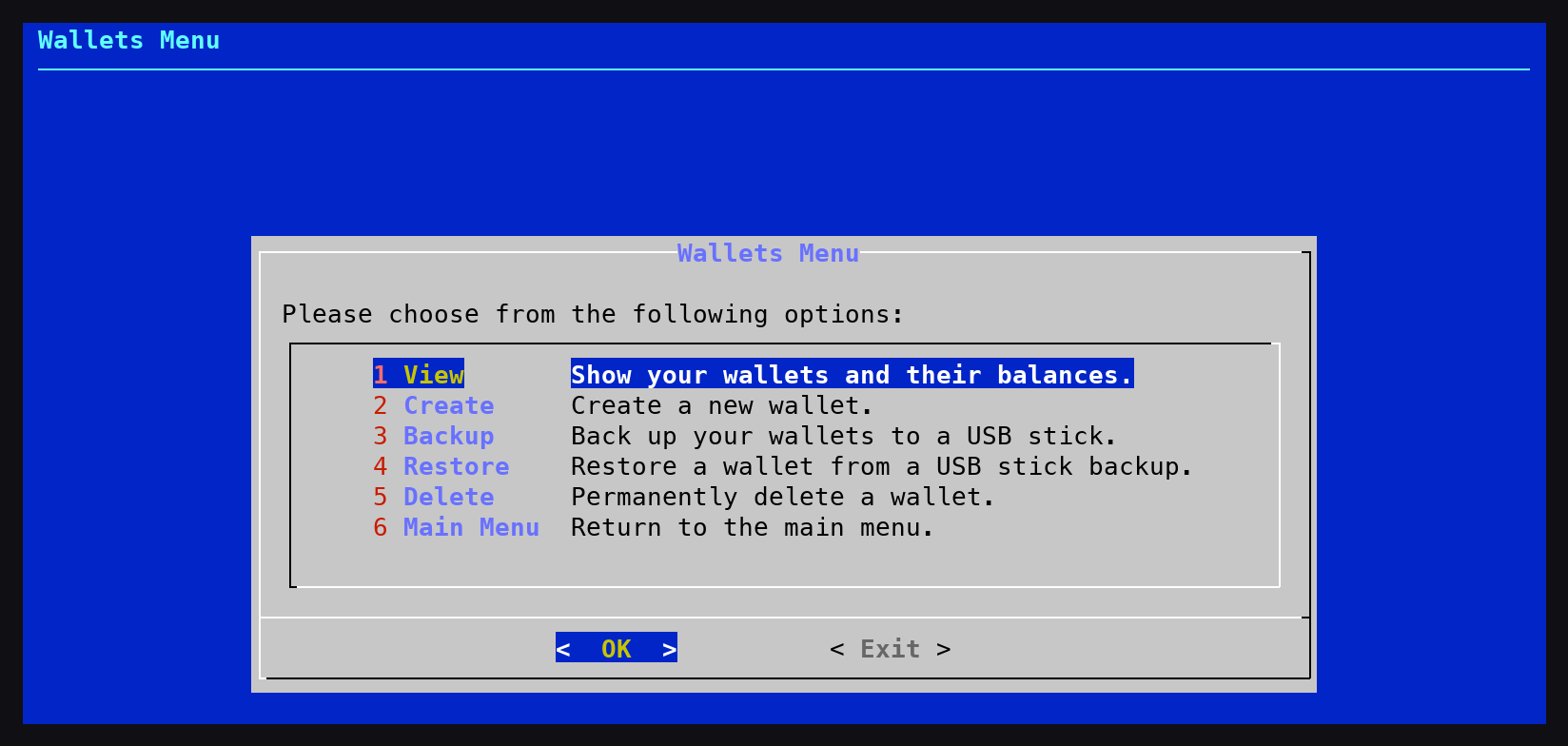
- New: Wallets menu - The DigiNode Setup main menu has a new Wallets option, which replaces Backup and Restore. From it you can view your wallets and their balances, create a new wallet (with a passphrase to encrypt it, which is recommended), back up your wallets to a USB stick, restore a wallet from a USB stick backup, and delete a wallet you no longer need. DigiNode Setup now remembers when each wallet was last backed up, and shows it when you view your wallets. You can back up and restore both Mainnet and Testnet wallets, even if the node for that network isn't running - a wallet restored for a node that isn't running loads the next time it runs. Restoring never replaces an existing wallet - the backup is restored as a new wallet, with a name you choose - and it can also restore a backup made with an earlier version of DigiNode Tools.
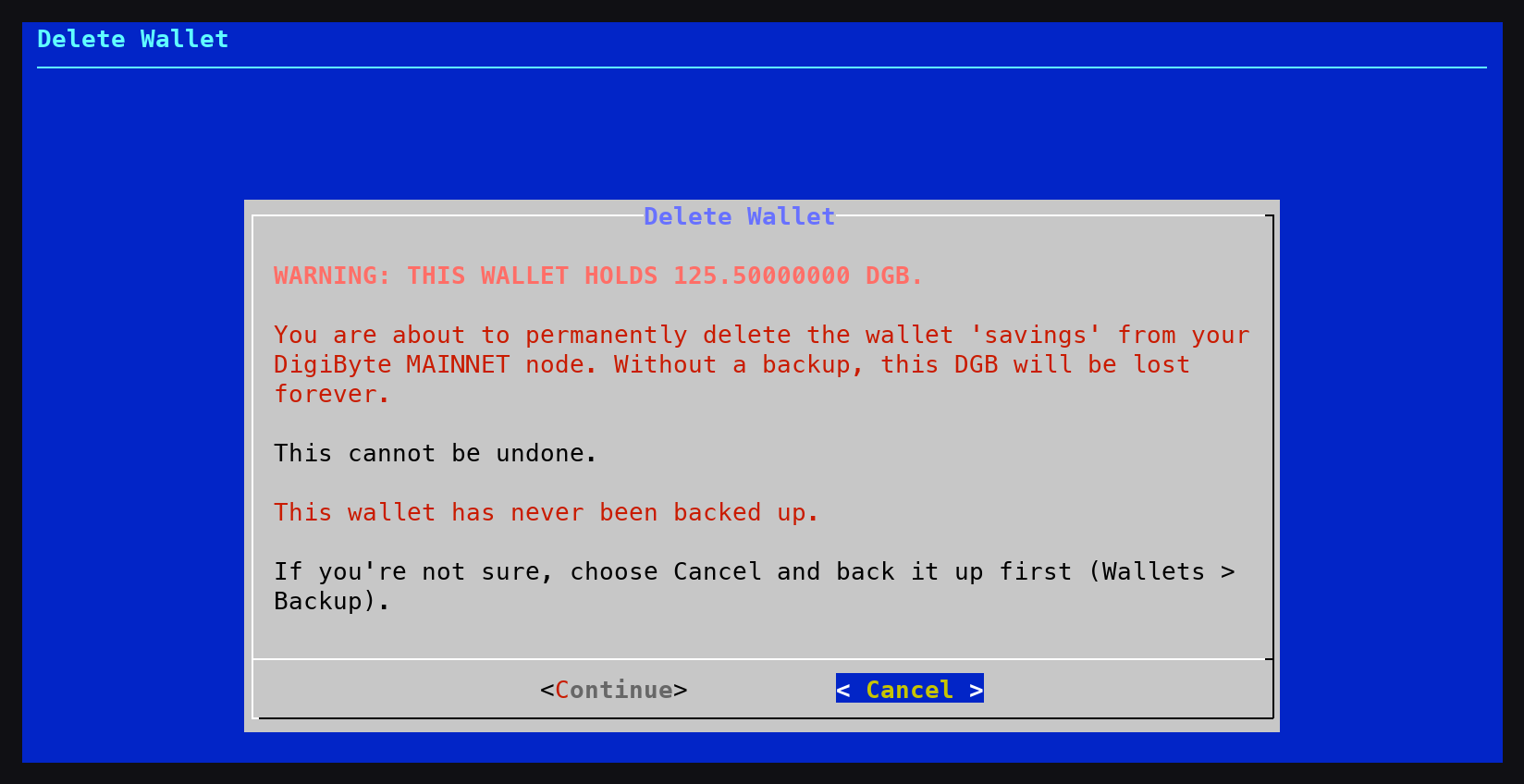
- New: Delete a wallet safely - The Wallets menu can delete a wallet you no longer need. Deleting a wallet is permanent, so DigiNode Setup makes sure you mean it. If the wallet still holds DGB, you get a clear warning in red showing its balance, and that without a backup it will be lost forever. You are also told when the wallet was last backed up, or that it has never been backed up. Cancel is the default, and to go ahead you must type I UNDERSTAND.
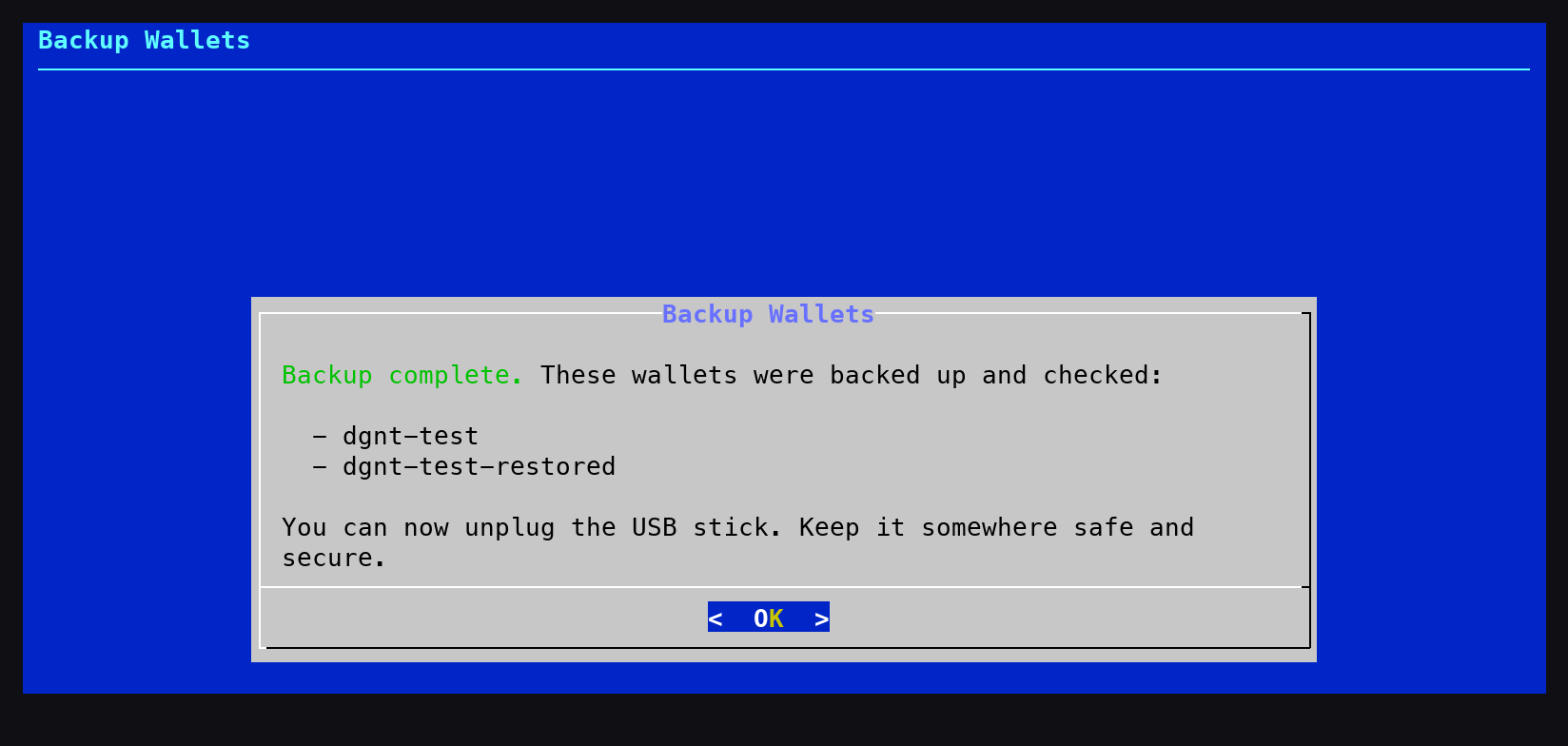
- Fix: USB wallet backup - Backing up your wallet to a USB stick works again with current versions of DigiByte Core, which keep wallets in a different place and no longer create a wallet automatically. Every wallet on your node can now be backed up, not just the default one, and each backup is made by DigiByte Core itself, then read back from the USB stick and opened to check it is a working wallet. Your previous backup of each wallet is kept on the stick too. USB sticks formatted by an earlier version of DigiNode Tools now work again.
- Fix: Testnet sync progress - On a Dual Node or a testnet node, DigiNode Dashboard showed the testnet blockchain as 100% synced while it was still syncing. This is caused by DigiByte Core, which always reports testnet as fully synced (reported to the DigiByte Core developers). DigiNode Dashboard now works out the testnet sync progress itself, and only shows a node as fully synced once DigiByte Core has finished its initial sync.
- New: Automatic system updates - DigiNode Setup can now install operating system updates for you automatically, once a day in the background (Debian, Ubuntu and Raspberry Pi OS). You are asked once: security and stability updates (recommended), all updates, or off. You can change this at any time from the new System option in the DigiNode Setup main menu. For an unattended install, set UI_SYSTEM_AUTO_UPDATES and UI_SYSTEM_AUTO_REBOOT in diginode.settings.
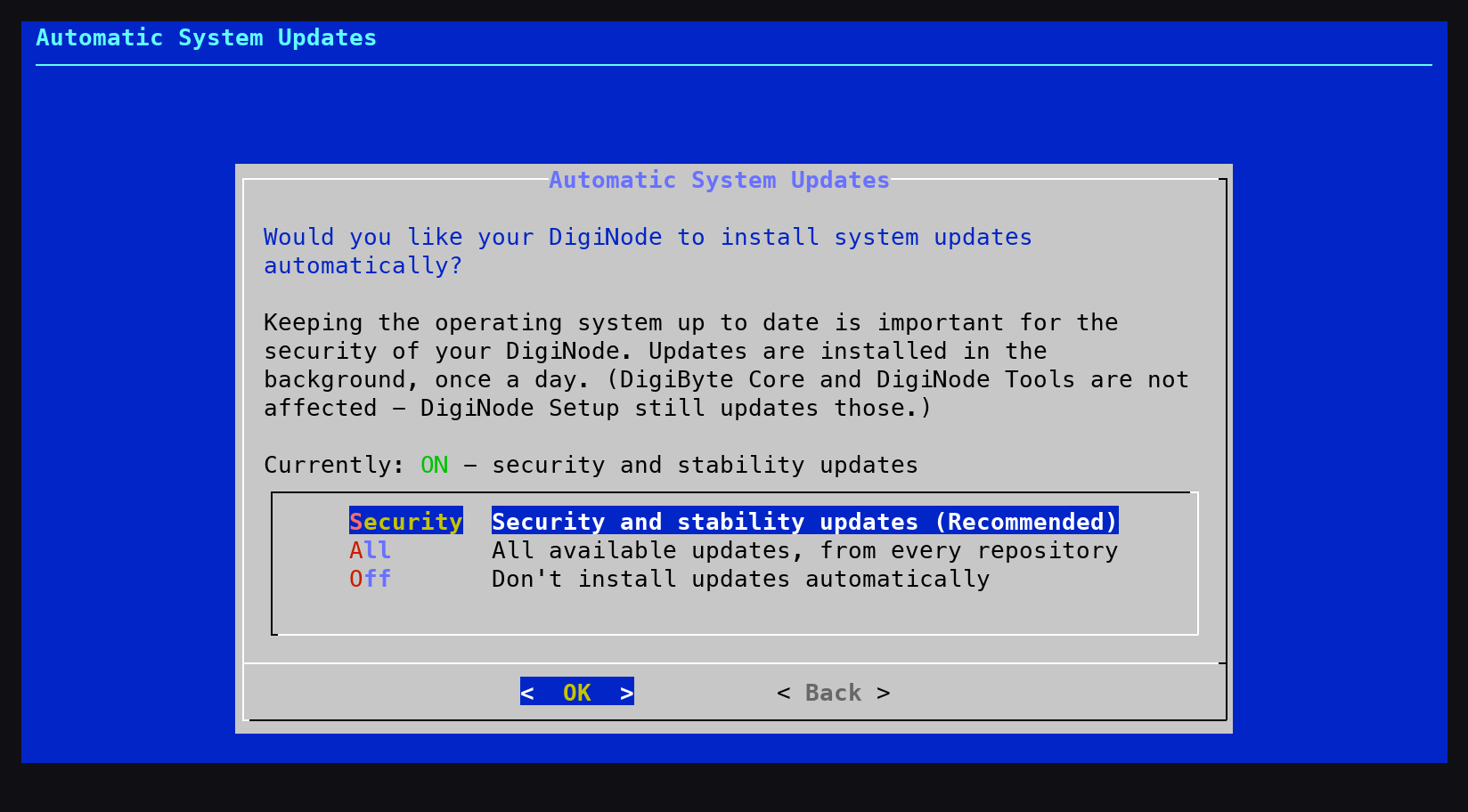
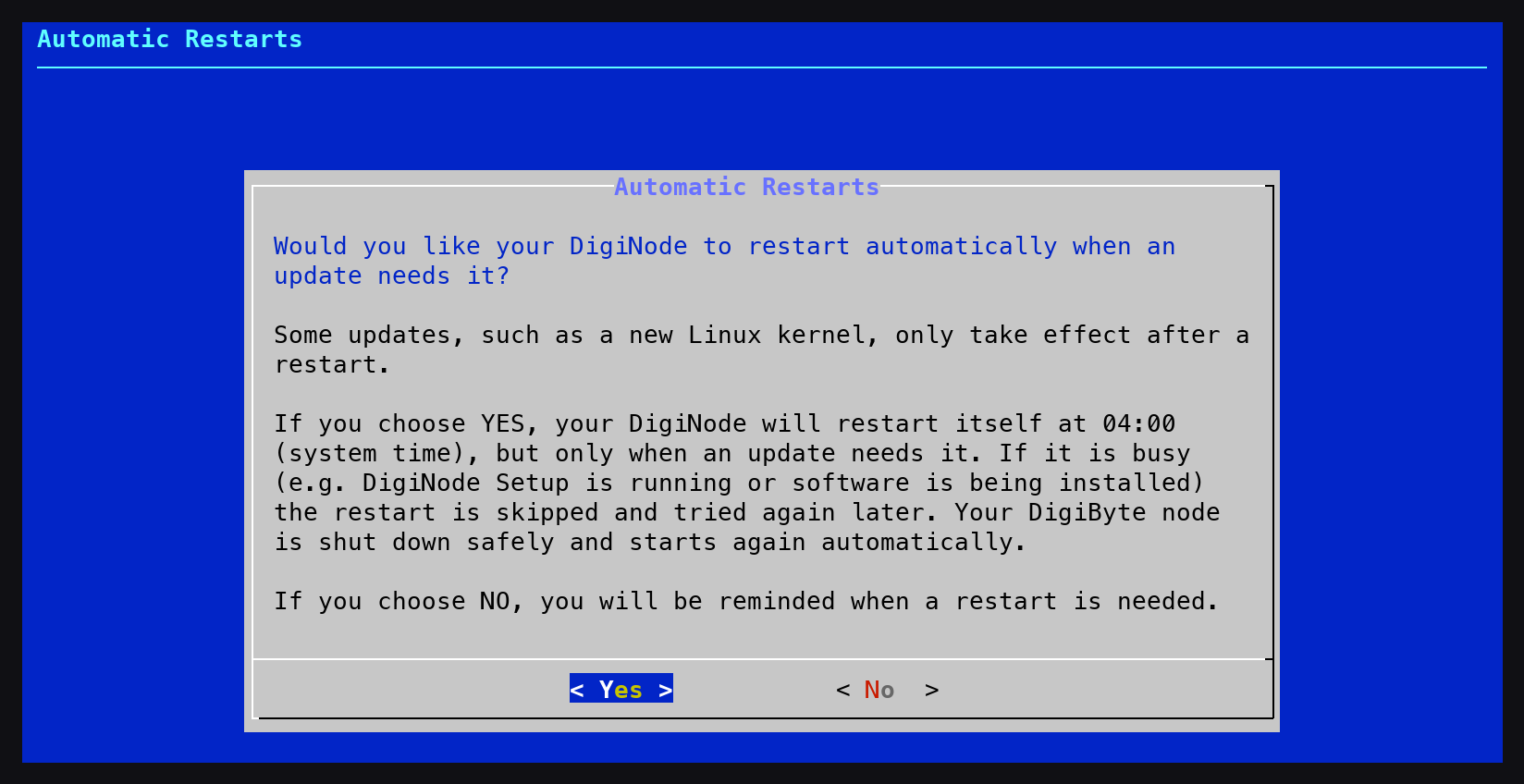
- New: Automatic restarts when needed - Your DigiNode can now restart itself automatically when an update needs a restart to finish, such as a new Linux kernel. It only restarts when needed, at 04:00 (you can change the time from the System menu), and never while it is busy - for example while DigiNode Setup is running or software is being installed. If it is busy, it tries again every 30 minutes for the next two hours, and otherwise the next night. Your DigiByte node is shut down safely and starts again automatically. You are asked whether you want this when you install - on a Raspberry Pi the suggested answer is Yes, and on other machines (such as a VPS) it is No.
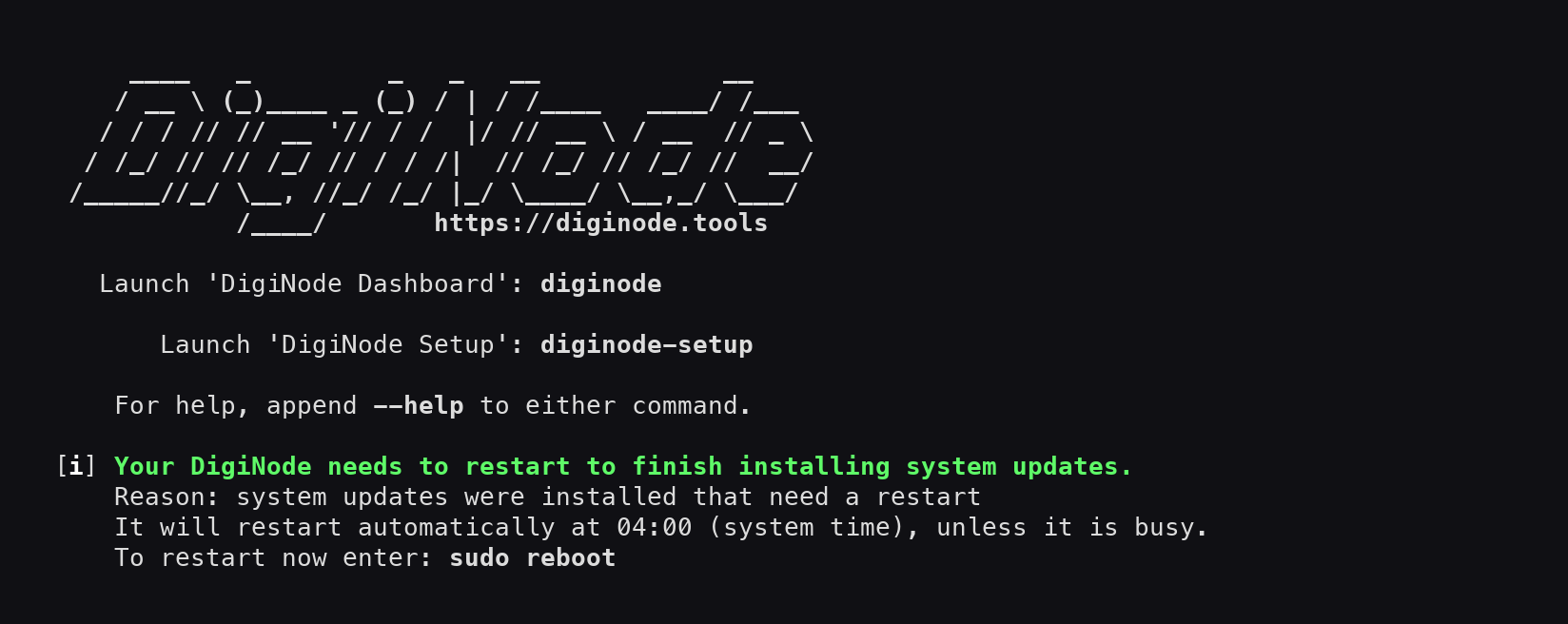
- New: Restart reminders - If your DigiNode needs a restart to finish installing system updates, you are now told when DigiNode Setup finishes, when you close DigiNode Dashboard, and when you log in (if you use the DigiNode MOTD). It also tells you if an automatic restart was skipped, and why.
- Improvement: Commands work straight away - The 'diginode' and 'diginode-setup' commands, and DigiByte Core's commands such as 'digibyte-CLI', now work straight away after a new install - you no longer need to log out or restart first. They are now installed as commands in /usr/local/bin, instead of aliases in your .bashrc file, so they also work with sudo and in scripts, and they stop working straight away when you uninstall. Existing DigiNodes are switched over automatically the next time you run DigiNode Setup.
- Improvement: No restart needed after hostname, swap or reset changes - DigiNode Setup no longer tells you to restart after changing your hostname, changing your swap file or doing a reset, as these now take effect straight away. If your hostname changes, just reconnect using the new name.
- Improvement: No restart needed after an uninstall - After an uninstall, DigiNode Setup no longer tells you to restart your system, which wasn't needed. If the 'diginode' commands were removed, it now tells you to log out and back in instead, since the current terminal still remembers them.
- Improvement: Calmer DigiFacts updates - DigiFacts now come from the new DigiFacts website. If they can't be updated (for example if you're offline), DigiNode Dashboard keeps showing the saved DigiFacts and tries again an hour later, instead of showing an error every time it starts.
- Improvement: Links that stay up to date - Links in DigiNode Tools to places outside the DigiNode Tools website, such as the Telegram group and Bluesky, now go through go.diginode.tools. If one of them ever changes, it can be updated there, and your DigiNode follows straight away, without upgrading. The sponsor link now goes to diginode.tools/sponsor, which shows all the ways to support DigiNode Tools.
- Improvement: Support DigiNode Tools - When you quit DigiNode Dashboard, it now always shows how to sponsor DigiNode Tools or donate DGB. Previously this was only shown some of the time.
- Improvement: DigiFacts in the Dashboard only - DigiFacts are now only shown inside DigiNode Dashboard, and no longer when DigiNode Setup finishes or when you quit the Dashboard.
- Improvement: Tidier setup screens - DigiNode Setup's screens no longer talk about the DigiAsset Node, which can't currently be installed, and the notice about it is no longer shown when you first install. The Tor menu for a Dual Node now also fits in a normal-sized terminal window.
- Fix: Correct command for installing system updates - The reminder to install system updates now tells you to run 'sudo apt-get update && sudo apt-get upgrade'. Running only 'sudo apt-get upgrade' could fail with "404 Not Found" errors if the list of available updates was out of date.
- Fix: UPnP can be turned on again - Turning UPnP on from the DigiNode Setup menu did nothing if it had been turned off before: DigiByte Core restarted, but UPnP stayed off. Thanks to ZuneTracks for reporting it.
- Fix: Port Tester help link - The port forwarding help link in the Port Tester now fits inside its box, using a shorter address (https://diginode.tools/port-forwarding/), and a typo above it is fixed.
- New: Test feature branches - For development and testing, the --dgntbranch flag installs a feature branch of DigiNode Tools from GitHub (e.g. diginode-setup --dgntbranch=feature/plugins). The branch is checked before anything is changed, so a mistyped or missing branch leaves your current DigiNode Tools in place. Like --dgntdev, running DigiNode Setup without the flag returns you to the latest release.
- Improvement: Hourly update checks - DigiNode Dashboard now checks for new versions of DigiNode Tools once an hour (previously once a day), so fixes reach you sooner, e.g. while you watch your node sync.
- Improvement: Fewer update checks - DigiNode Dashboard no longer checks for Kubo (IPFS) updates when Kubo isn't installed. This cuts an unneeded daily request to GitHub, which limits how often each internet connection can check for updates.
- Fix: DigiNode Setup could install the main branch of DigiNode Tools (used for final testing) instead of the latest release. This happened when GitHub limited how often your DigiNode could check for updates. DigiNode Setup now finds the latest release in a way that isn't limited, and if it still can't find it, it keeps your current version rather than installing anything else.
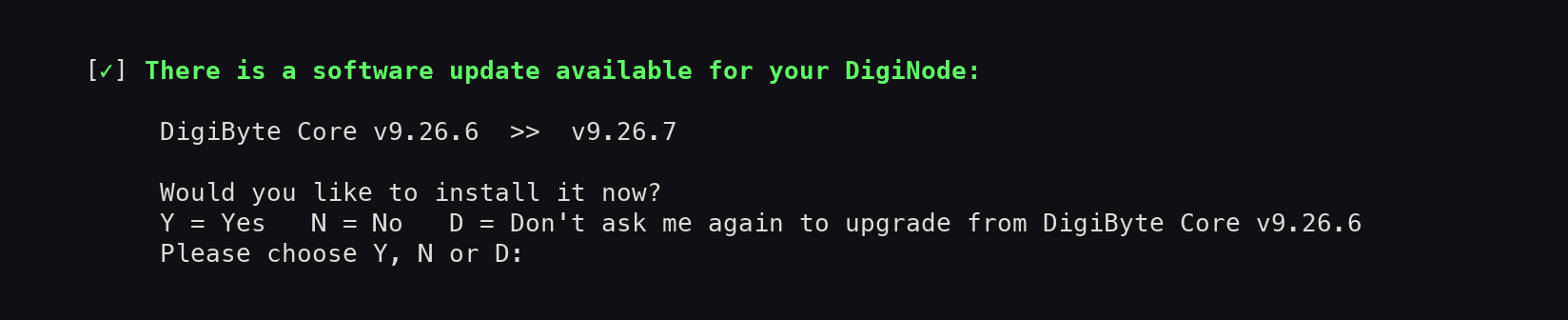
- New: When you quit DigiNode Dashboard and a DigiByte Core update is available, you can now choose "Don't ask me again". DigiNode Dashboard will then stop asking you to upgrade from the version of DigiByte Core you have installed, until you next upgrade or downgrade it. It still shows that an update is available, and you can upgrade at any time by running 'diginode-setup' and choosing Update. Updates to DigiNode Tools are still offered.
- Improvement: DigiNode Setup no longer waits for DigiByte Core to finish starting up before checking for updates, which could take 10 minutes or more. It now reads the installed version from the DigiByte Core install folder, which also gives the exact version of pre-releases.
- Fix: DigiByte Core is now given up to 10 minutes to shut down safely (previously 60 seconds). A node that is busy syncing, especially on a Raspberry Pi, could take longer than that to save its database, and was then force-stopped, which risks corrupting the blockchain data. Existing DigiNodes are updated automatically.
- Fix: DigiNode Dashboard no longer sometimes shows the previous version of DigiNode Tools when it starts, e.g. straight after an upgrade.
- Fix: DigiNode Dashboard no longer briefly shows a "du: cannot access" error at the bottom of the screen, about once a minute, while a DigiByte node is syncing.
- New: You can now install any version of DigiByte Core that has been verified for your DigiNode, going back to v7.17.2. Choose Version from the DigiNode Setup main menu to upgrade or downgrade. During a new install, you can choose to install the latest version (recommended) or an earlier one. Older pre-releases are always listed; a pre-release that is newer than the latest release is only listed if you use the --dgbpre flag. You are warned before installing an older version, and before downgrading to an older major version, which may require the blockchain to be resynced. You then confirm the version you chose, or go back and choose a different one.
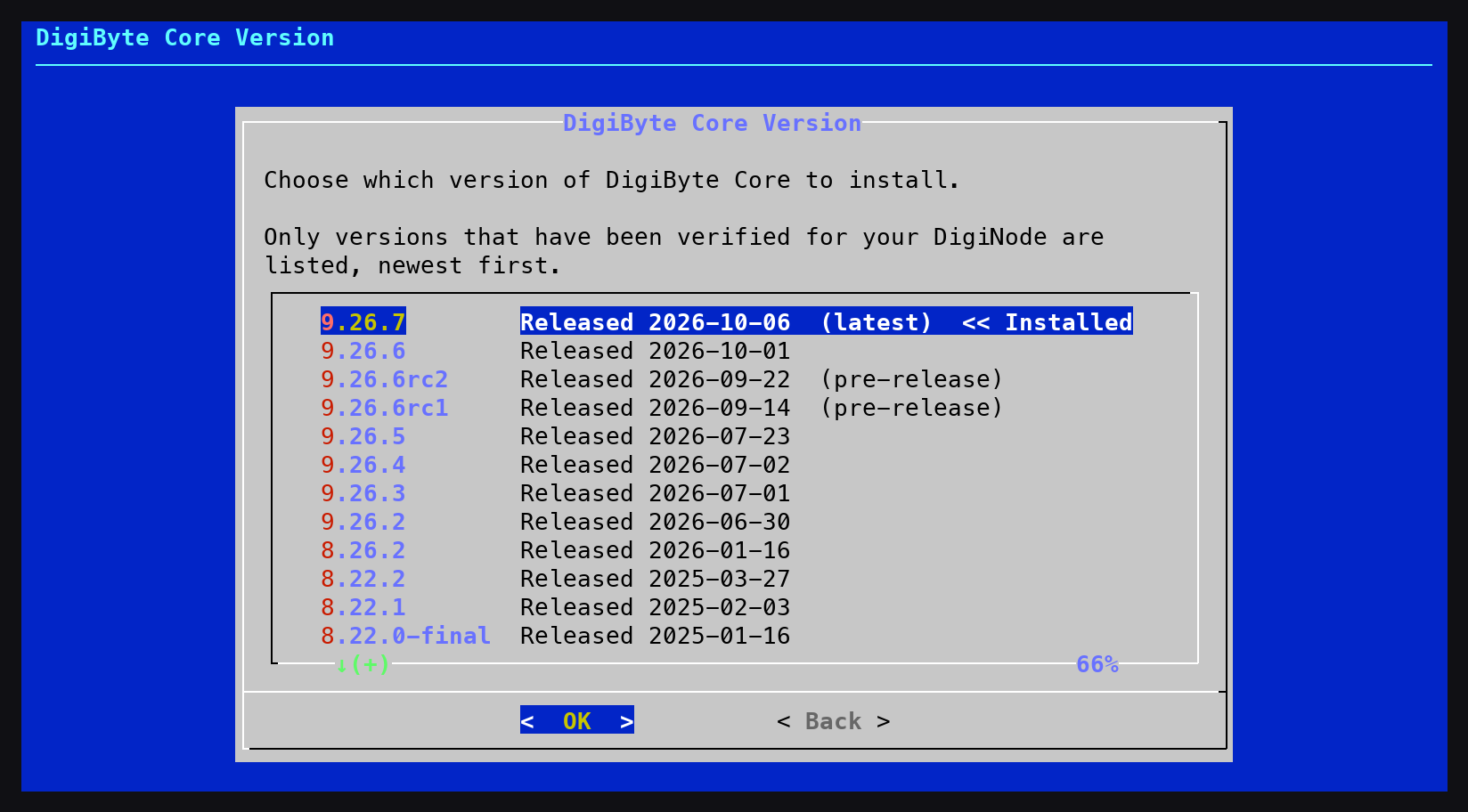
- New: Install a specific version of DigiByte Core from the command line with the --dgbver flag (e.g. --dgbver=8.26.2). For an unattended install, set UI_DGB_VERSION in diginode.settings.
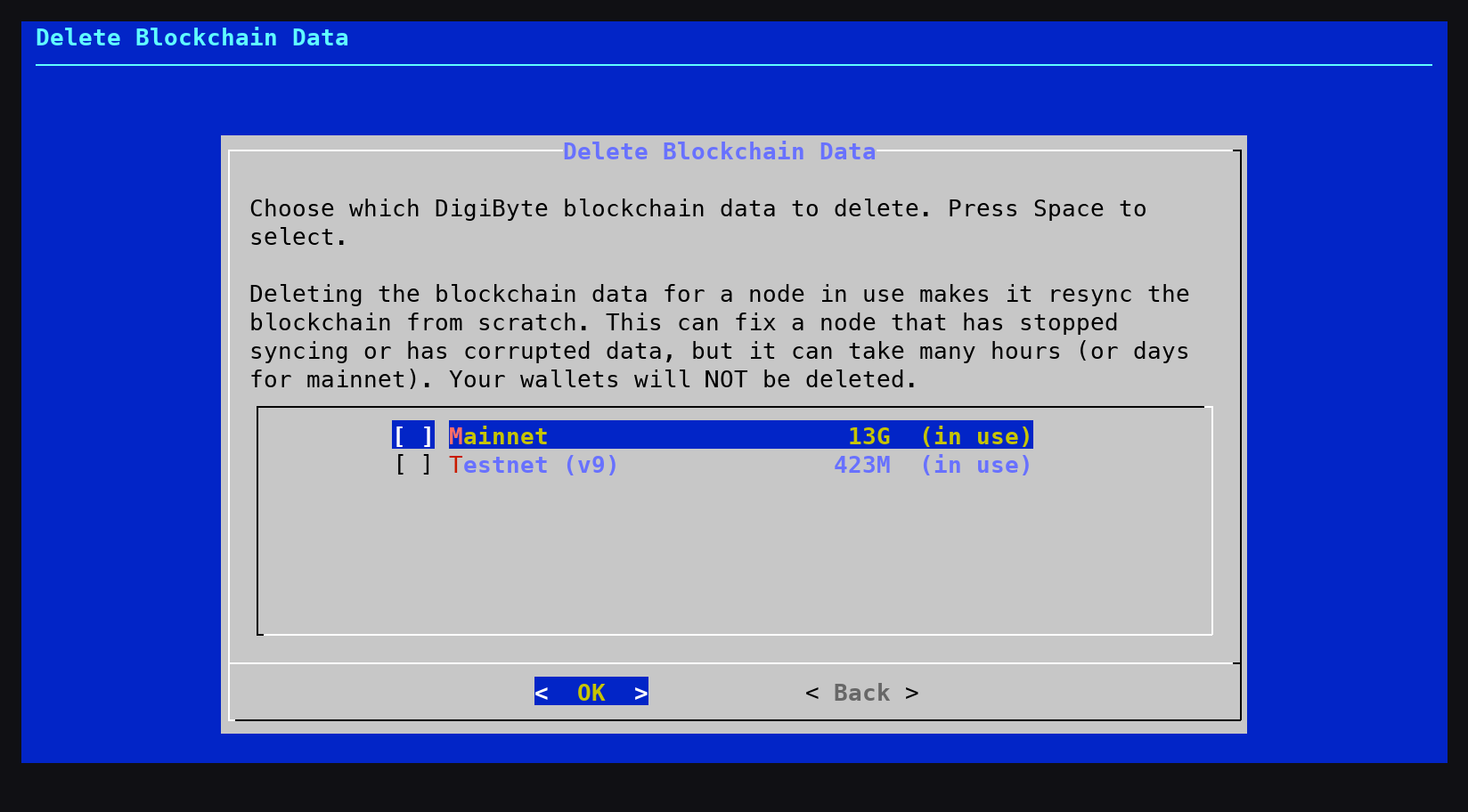
- New: DigiByte Core v9 has a brand new testnet, which is a separate blockchain from the old one used by v8 and earlier. When you upgrade (or downgrade) between them, DigiNode Setup now offers to delete the blockchain data for the testnet you are no longer using, to free up disk space. Your testnet wallets are always kept. Note: Wallets from one testnet cannot be opened by the other, and testnet DGB does not carry over to the new testnet.
- New: Delete blockchain data from the new Blockchain option in the DigiNode Setup main menu. Choose which chains to delete (mainnet, testnet, or the old v8 testnet), for example to resync a node that has stopped syncing or has corrupted data, or to free up disk space. Any node using the data is stopped while it is deleted and then restarted, so it resyncs from scratch. If the node wasn't running, you are asked whether to start it. Your wallets are never deleted.
- New: At the end of DigiNode Setup, any DigiByte node that should be running but isn't is started, and checked a few seconds later to make sure it is still running. If it fails to start, you are shown why from its log file. Nodes you stopped yourself with 'diginode --dgbstop' or 'diginode --dgb2stop' are left stopped.
- New: Press N in DigiNode Dashboard to hide (or show) your IP and onion addresses, e.g. before sharing a screenshot.
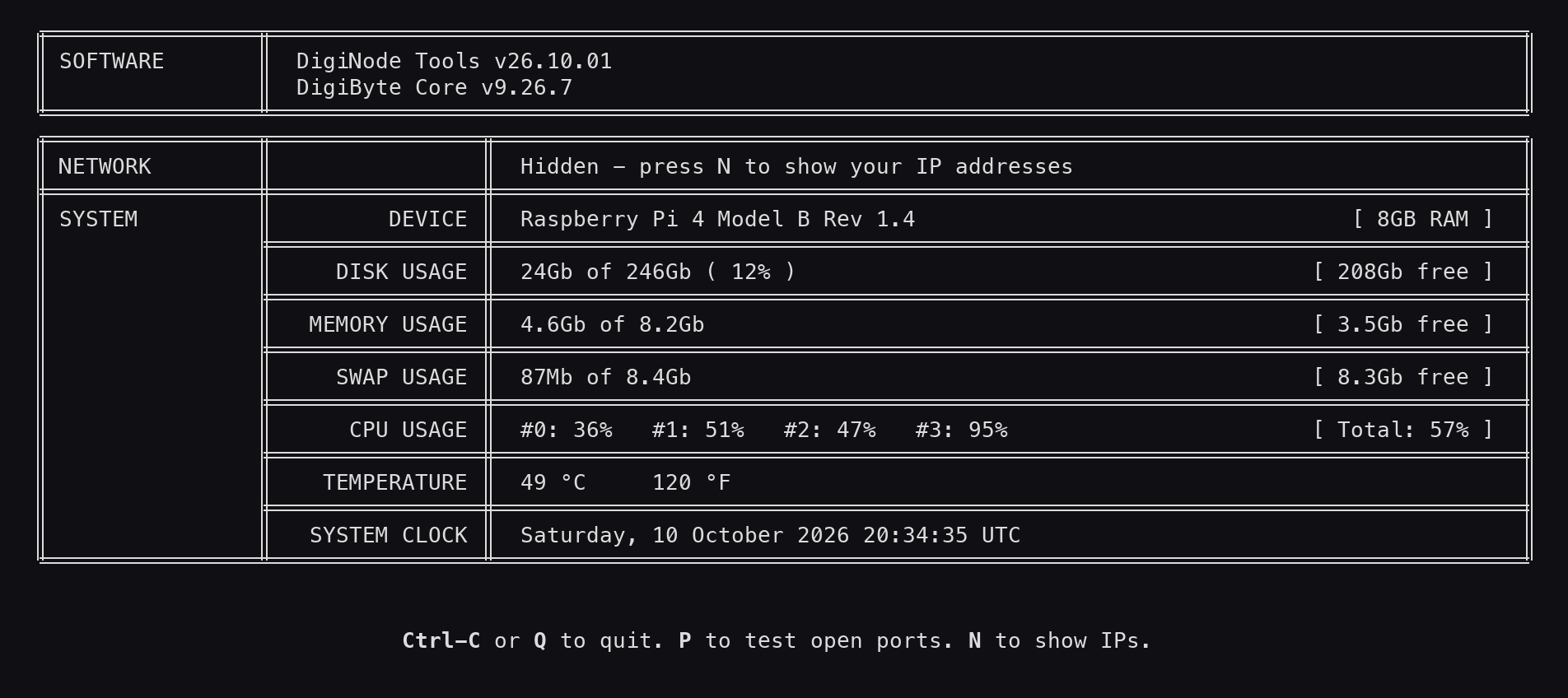
- Improvement: DigiNode Tools now uses date-based version numbers: the year, the month, and then the release number for that month. For example, v26.10.01 is the first release of October 2026. This makes it easy to see how up to date your DigiNode Tools are.
- Improvement: If you use the --dgbpre flag and there is no pre-release available, DigiNode Setup now offers to upgrade you to the latest release instead, if you don't already have it.
- Improvement: DigiNode Setup now downloads DigiByte Core using the exact download link and file name recorded when each release was verified, and no longer has to guess them. This fixes installing releases with unusual file or folder names, such as v8.22.0-final and v8.22.0-rc5, which could not be installed before.
- Improvement: DigiNode Setup no longer installs software it doesn't use: gcc, make, gnupg, tmux, iputils-ping, cron and apt-transport-https. (Already installed packages are not removed.)
- Improvement: The donation message now includes a link to sponsor DigiNode Tools on GitHub: https://github.com/sponsors/DigiNode-Tools - and thanks the Featured Sponsors of DigiNode Tools.
- Improvement: The out of date DigiAsset message in DigiNode Dashboard now explains how to help bring DigiAsset Core support to DigiNode Tools, by sponsoring it: https://diginode.tools/sponsors/
- Fix: Support for the new DigiByte Core v9 testnet, which stores its data in a different folder (~/.digibyte/testnet26) and uses different default ports (12033, and 14026 for RPC). DigiNode Dashboard now shows the correct testnet disk usage, ports and log file (diginode --dgb2log), and the mainnet disk usage no longer includes the testnet data. Deleting the testnet blockchain (e.g. when uninstalling) now removes the data for both the old and new testnet.
- Fix: Upgrading DigiByte Core while a node was still starting up left that node running the old version, and it was not restarted afterwards. It is now stopped, upgraded and restarted.
- Fix: Deleting the blockchain (e.g. when uninstalling) no longer deletes settings.json, which DigiByte Core uses to remember which wallets to load at startup.
- Fix: 'diginode --dgbrestart' and 'diginode --dgb2restart' now work for a node that crashed several times in a row. Previously they appeared to work, but the node was not started.
- Fix: Broken links to the Static IP and port forwarding guide, and to the Argon One fan software.
- Fix: Security: Your digibyte.conf file, which contains your RPC password, can now only be read by your DigiNode user account. Previously, DigiNode Setup could leave it readable by every user on the system. This is fixed automatically the next time you run DigiNode Setup.
- Fix: DigiNode Dashboard no longer appears to freeze when a DigiByte node is too busy to respond, e.g. while it is syncing the blockchain. While it starts up, a spinner now shows when it is waiting for a node to respond. Once running, it shows that the node is busy and carries on as soon as the node responds again. Previously it could wait up to 15 minutes with no indication of what was happening.
- Fix: DigiNode Dashboard no longer shows an out of date sync percentage when a node has only just started syncing.
- Fix: Removed a "Permission denied" message shown when installing a DigiByte Core pre-release.
- Fix: DigiNode Setup no longer asks you to agree to the disclaimer again every time DigiNode Tools is upgraded.
- New: The SHA256 hashes used to verify each DigiByte Core download are now published automatically at https://github.com/DigiNode-Tools/digibyte-hashes instead of on the diginode.tools website. Each new DigiByte Core release is checked every day, and its hash is only published once it matches the hash GitHub recorded when the file was uploaded, and the SHA256SUMS file included with the release (where available).
- Improvement: New DigiByte Core releases are now rolled out to DigiNodes gradually, between 3 and 15 days after they are released. This gives time for any problems with a new release to be discovered before everyone upgrades.
- Fix: DigiNode Dashboard no longer tells you that a DigiByte Core update is available until it has been verified for your DigiNode. Previously it could show an update straight away that DigiNode Setup would then refuse to install.
- Fix: If the newest DigiByte Core release has not reached your DigiNode yet, DigiNode Setup will now upgrade you to the newest version that has. Previously, the upgrade was skipped altogether.
- Fix: DigiNode Dashboard now checks for a newer DigiByte Core release every day, even when an update is already waiting to be installed.
- Fix: Upgrading between DigiByte Core pre-releases now works with the new version format (e.g. v9.26.6rc1 to v9.26.6rc2, and v9.26.6rc2 to v9.26.6). Previously, these upgrades were not offered.
- Fix: DigiByte Core releases that have no download for your type of device (e.g. v8.26.0 and v8.26.1 on a Raspberry Pi) are no longer offered.
- Fix: Reset Mode now shows the correct DigiByte Core version when running a pre-release.
- New: Add a few more DigiNode tips.
- Fix: Argon fan software should now install correctly.
- Fix: Listening port should no longer display as "null" when the digibyte node itself is not self-reporting its local addresses and port. (It now reverts to getting this from digibyte.conf)
- Improvement: The Port Tester now gets re-enabled automatically 24 hours after the test was last successfully passed.
- Fix: Hopefully the startup error that is occasionally been seen is now fixed.
- Improvement: Default auto quit duration for the DigiNode Dashboard has been changed to 24 hours (1440 minutes).
- Improvement: Mempool bytes are hidden on narrower terminal windows to make the display cleaner.
- Fix: When running a Dual Node, the Testnet listening port now displays correctly in the Dashboard while the node is starting up. (It was blank before)
- Fix: Right border for Connections row in dashboard now fits better.